
HAZMAT Label Customizations
OVERVIEW
If your products contain hazardous materials — such as lithium-ion batteries, flammable liquids, or other regulated substances — Loop supports hazmat label customizations to help you stay compliant with carrier requirements.
This article walks you through how hazmat labels work in Loop, which carriers support them, and how to configure them globally or conditionally via Workflows.
Use the menu on the left to quickly navigate this article
What is a Hazmat Label?
A hazmat (hazardous materials) label is a special marking required by carriers when shipping certain regulated goods. For return shipments, this typically includes:
Lithium-ion batteries (e.g., electronics, hearing devices, personal care devices) — often requiring UN3481 or UN3480 markings
Flammable liquids or aerosols
Other goods classified under USPS, FedEx, or UPS hazmat guidelines
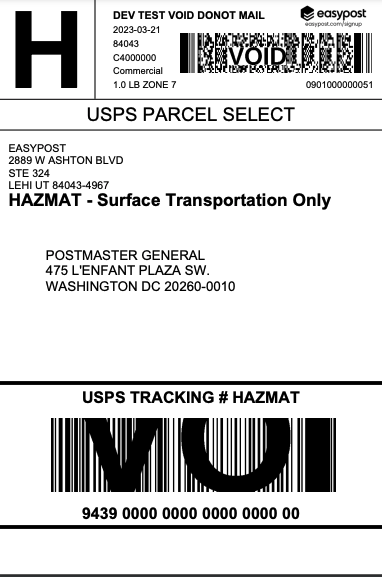
Without the correct hazmat designation on a return label, shipments may be delayed, rejected, or flagged by the carrier.Shipping labels for HazMat packages will have added content such as (see example image below):
a service indicator "H" for identification.
the words "HAZMAT - Surface Transportation Only" below the return address for surface-only packages.
the word "HAZMAT" after "USPS TRACKING #" above the tracking barcode.
Hazmat classes
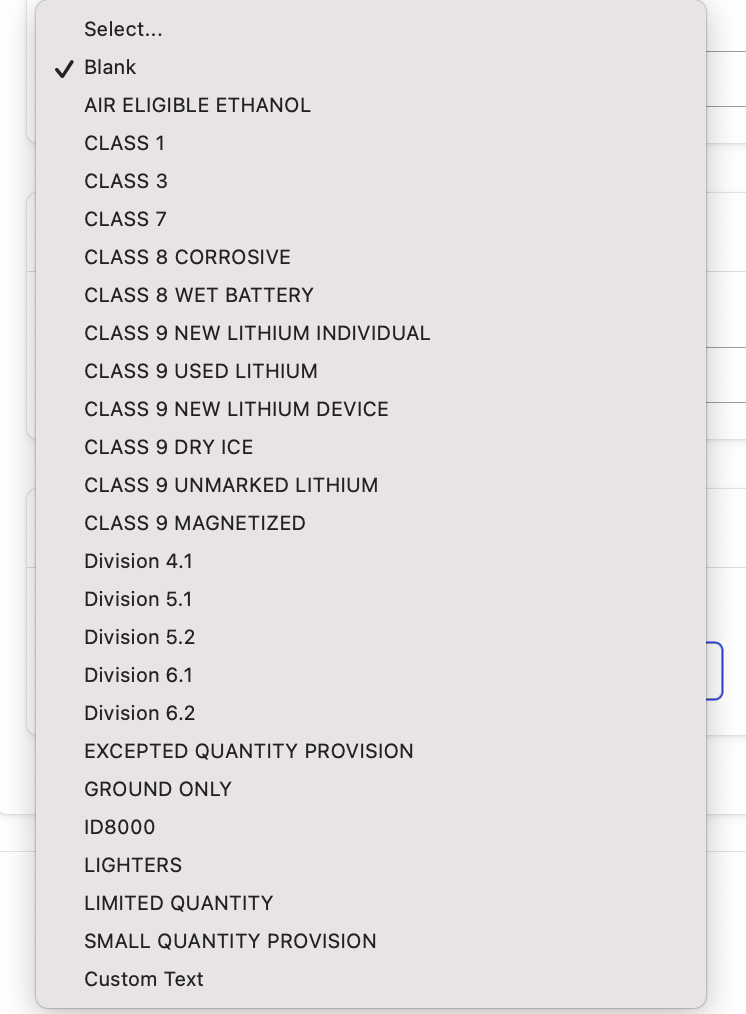
Please review the chart below to choose the best HazMat label customization for your store.
Value | Description | |
|---|---|---|
Air eligible ethanol | Air eligible ethanol package | |
Class 1 | Toy propellant/safety fuse package | |
Class 3 | Package | |
Class 7 | Radioactive materials package | |
Class 8 | Corrosive | Corrosive materials package |
Wet battery | Nonspillable wet battery package | |
Class 9 | New lithium individual | Lithium battery marked – ground only package |
Used lithium | Lithium battery – returns package | |
New lithium device | Lithium batteries, marked package | |
Dry ice | Dry ice package | |
Unmarked lithium | Lithium batteries, unmarked package | |
Magnetized materials package | Magnetized materials package | |
Division 4.1 | Mailable flammable solids and safety matches package | |
Division 5.1 | Oxidizers package | |
Division 5.2 | Peroxides package | |
Division 6.1 | Toxic materials package (with an LD50 of 50 mg/kg or less) | |
Division 6.2 | Infectious materials package | |
Excepted quantity provision | Excepted quantity provision package | |
Ground only | Ground only | |
ID8000 | ID8000 consumer commodity package | |
Lighters | Lighters package | |
Limited quantity | Limited quantity ground package | |
Small quantity provision | Small quantity provision package |
Tip: Most of the Hazmat examples Loop has seen include lithium batteries, explosives, flammable liquids, flammable solids, compressed gases, and other similar products. If you're unsure whether your product contains HazMat, please review USPS's hazardous materials table. If you don't feel your HazMat products are represented, please reach out to support@loopreturns.com.
Carrier Support
Carrier Support
Note: Hazmat label support is currently available via USPS, Fedex, and UPS only through Ship by Loop (SBL) and EasyPost.
Carrier | Hazmat Support | Notes |
|---|---|---|
USPS (SBL or EasyPost) | ✅ Supported | Full hazmat label + UN3481 document |
FedEx (SBL) | ✅ Supported | Not yet available |
UPS (SBL) | ✅ Supported | Not yet available |
3rd party labels (Labels API) | ✅ Merchant's responsibility | Loop passes label through as-is |
Set Up
Option 1: Global Configuration (applies to all returns)
This method enables hazmat label customizations for your entire shop. Use this if all of your return shipments require hazmat treatment.
Log in to the Loop Admin at admin.loopreturns.com
Navigate to Returns Management → Shipping → Shipping Services
Select your shipping provider (e.g., Ship by Loop or EasyPost)
Locate the Label Customizations section
Enable the hazmat setting and select the appropriate hazmat class for your products
Important: When hazmat is enabled globally, it applies to all return shipments — including those that don't contain hazmat products. This can result in slower delivery times and higher costs for non-hazmat returns, since USPS routes ground transport for hazmat packages.
Setup
To select your HazMat label customization, play the video below or review the written instructions beneath it.
In your Loop admin, navigate to Settings > Shipping.
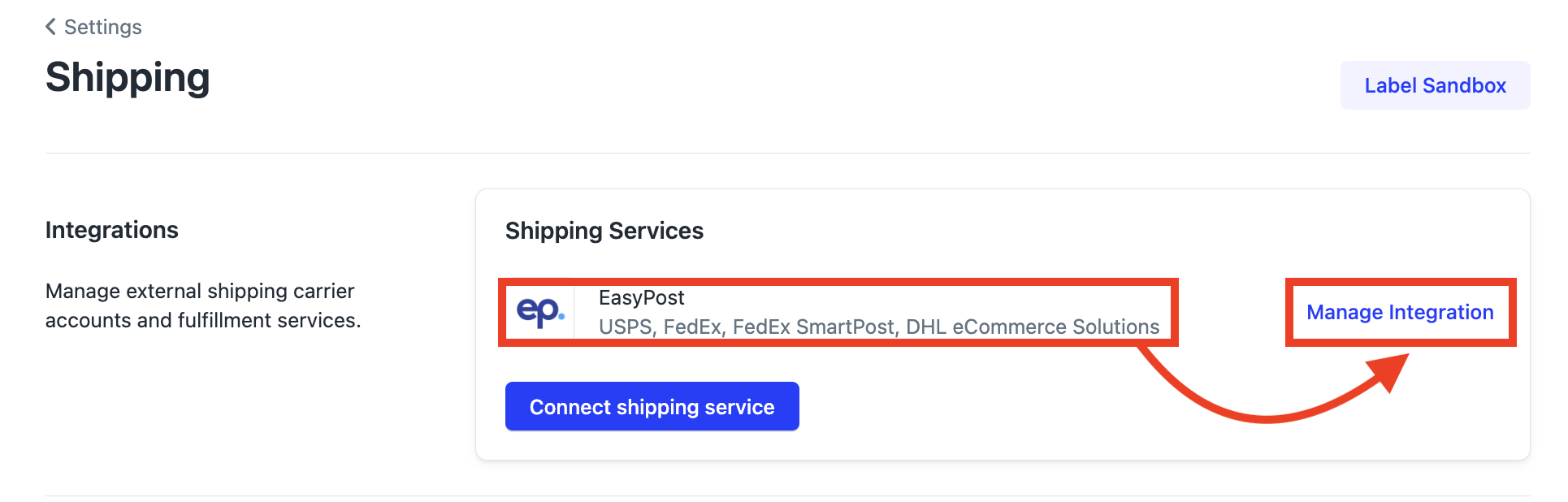
Under "Shipping Services," click Manage Integration next to EasyPost.
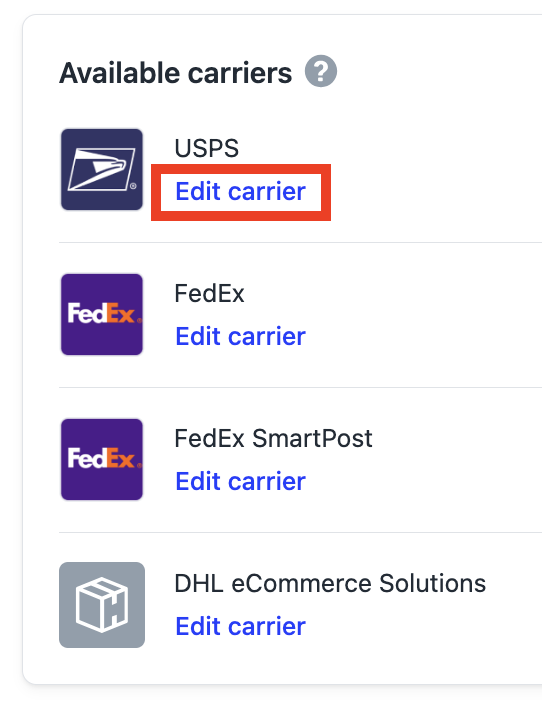
Under "Available Carriers", find USPS and click Edit carrier.
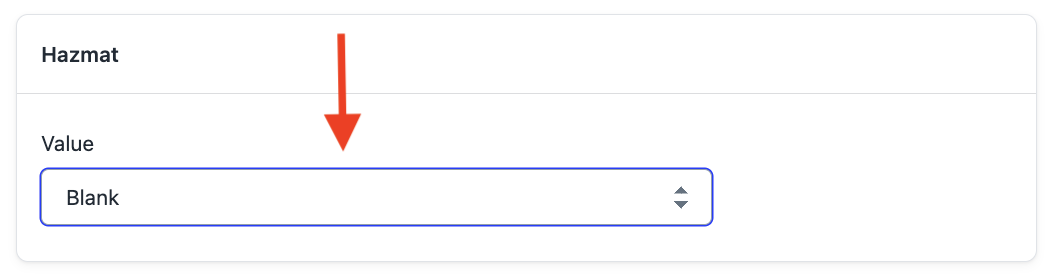
Find the HazMat field at the bottom of the "Customize Fields" section.
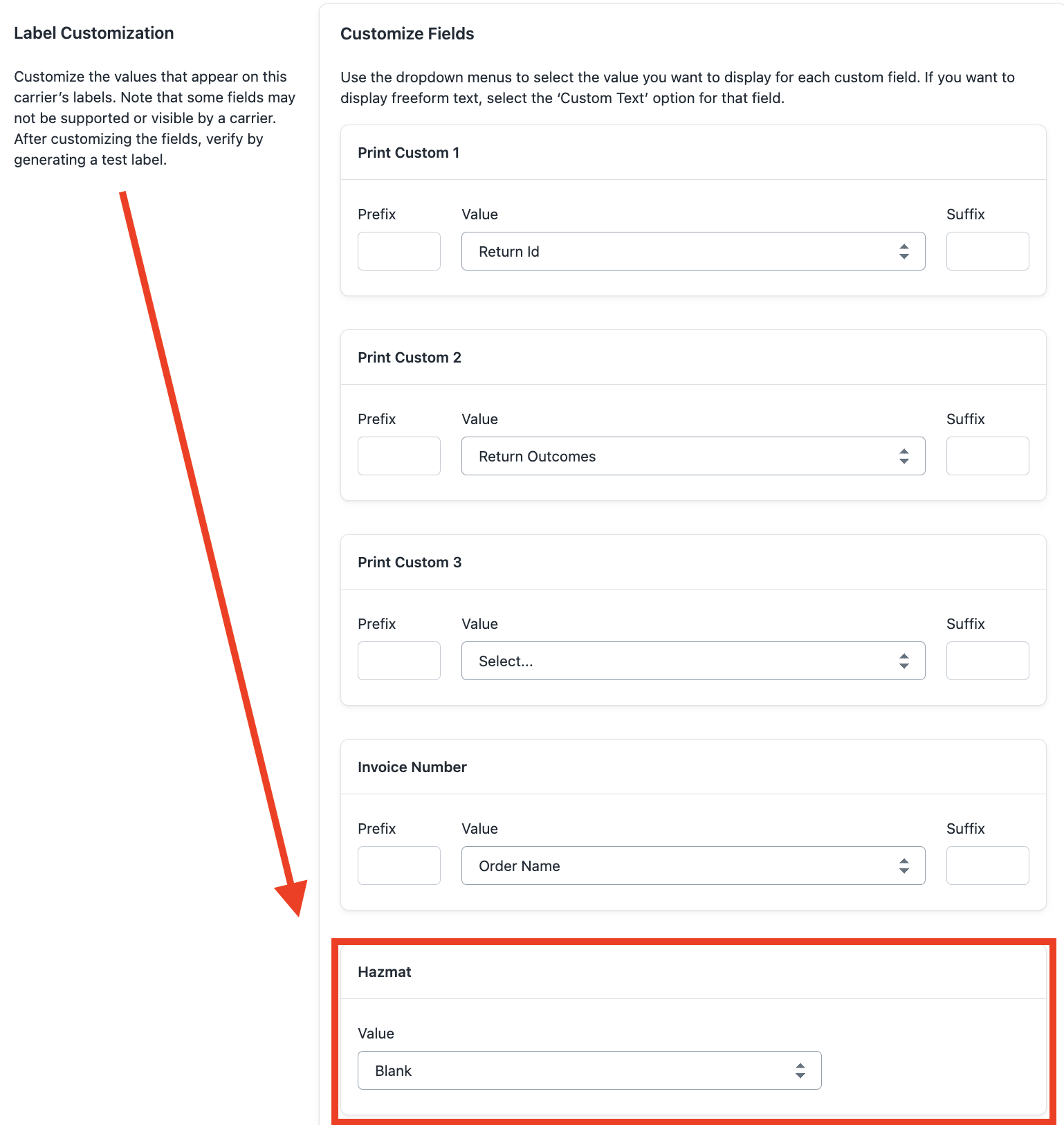
To expand the label customization options, click on the "Blank" value box.
Click the customization option that fits your products best.
At the top of the page, click Save.

Option 2: Conditional Hazmat via Workflows (Recommended for mixed catalogs)
If only some of your products require hazmat labels, use Loop Workflows to apply the hazmat label customization conditionally — based on product tags, product type, order tags, or destination.
How it works:
When a workflow triggers the Hazmat Label Needed action:
If the merchant uses USPS or FedEx, Loop will generate a hazmat-specific carrier label
For all other carriers, Loop will generate and append a UN3481 document for the shopper to affix to the package
This means shoppers on non-USPS/FedEx carriers will receive a static document to print and attach — not a carrier-generated hazmat label.
Setting up a Hazmat Workflow
In the Loop Admin, navigate to Workflows
Create a new workflow or edit an existing one
Add a Condition — for example:
Product tag contains
hazmatProduct type is
ElectronicsOrder tag contains
batteryDestination (order location) matches a specific region
Add the Action: Hazmat Label Needed
Save and enable the workflow
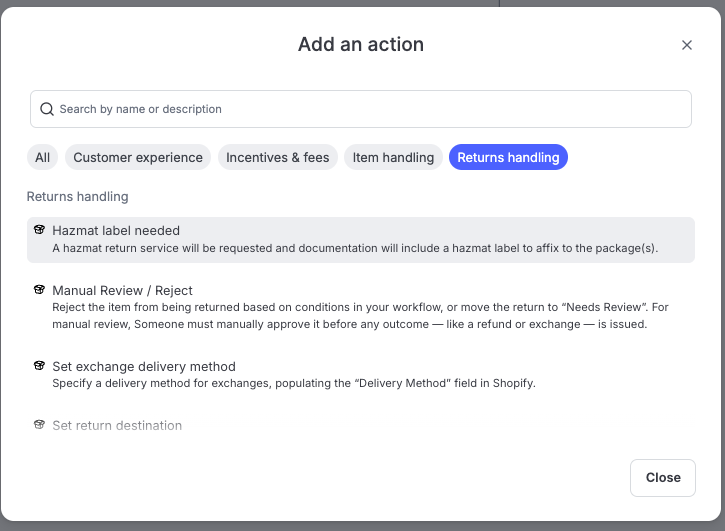
Tip: If you have hazmat enabled globally AND a workflow configured, the workflow conditions will apply on top of the global setting. Merchants who want conditional-only behavior should disable the global hazmat setting.
What the Shopper Sees
USPS/FedEx: The return label generated will include the required hazmat markings automatically. No additional action required from the shopper.
Other carriers: The shopper will receive a standard return label plus a UN3481 form that must be printed and affixed to the outside of the package before drop-off.
FAQ
Can I use hazmat labels with Ship by Loop Worldwide (SBLWW)?
Hazmat label customizations are currently only supported for USPS via SBL (US domestic). SBLWW carriers, including Evri and other Sendcloud carriers, do not support hazmat labels at this time.
What happens if I don't enable hazmat labels but ship hazmat products?
USPS may flag the shipment during transit and it could be delayed, returned, or result in a compliance issue. Always ensure your return labels are properly classified.
Does enabling hazmat affect all my returns?
If configured globally, yes — all returns will use hazmat-designated labels, which can slow delivery for non-hazmat items. We recommend using Workflows for conditional application if you have a mixed catalog.
My merchant uses FedEx or UPS — when will hazmat be supported?
FedEx and UPS hazmat support are currently in testing. There is no committed release date. Reach out to your Loop contact or #product-shipping for the latest status.
Can shoppers print the UN3481 form themselves?
Yes — Loop will provide the document for the shopper to print and affix. However, some carriers and merchants require that the form be pre-printed due to size and color requirements. Check with your carrier for specific requirements.
What if I don't see my store's products on the class table above?
You can also check your products against USPS's hazardous materials table for a more extensive list.
How can I find the USPS mailing standards for Hazmat?
Please visit USPS's page for Publication 52 mailing standards.
Please reach out to support@loopreturns.com with any additional questions.