
Manage Returns in Loop from Shopify Admin
OVERVIEW
Manage return in Loop is a Shopify admin action that lets your support team check return status and start a return without leaving Shopify. It's available from the More actions menu on any order, and it shows a summary of each Loop return with links straight into Loop admin. This article covers what the action does, the staff permissions it needs, and how to use it.
Use the menu on the left to quickly navigate this article.
What it is
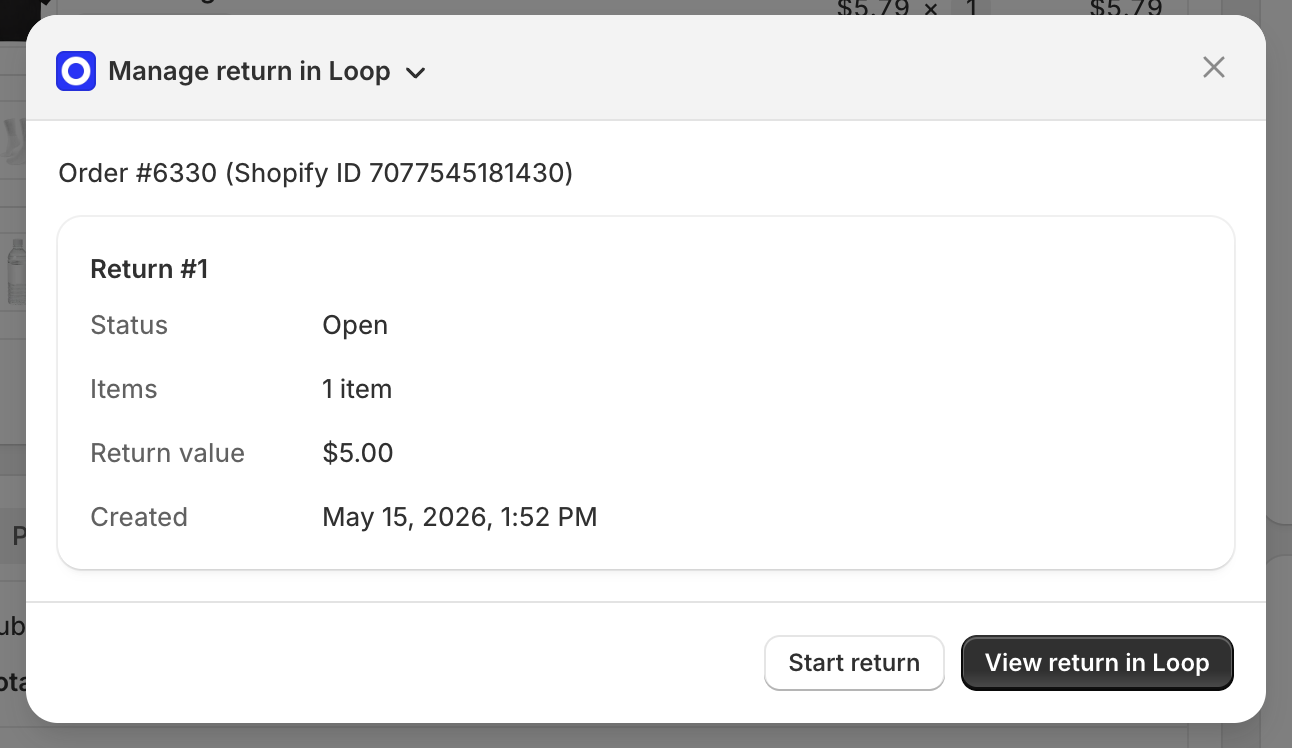
Manage return in Loop appears in the More actions menu on every order page in Shopify admin. Clicking it opens a window that shows the order name and Shopify order ID, along with a summary card for each Loop return on that order, including its status, item count, return value, and date created. If the order has no returns yet, the window says so and gives you a way to start one.
Requirements
No configuration is required in Loop. The action is available once:
The Loop Returns Shopify app is installed on your store
Your shop is active in Loop
The staff member's Shopify role has access to the Loop Returns & Exchanges app (Shopify admins have this automatically)
Important: Support staff need active Loop admin access to follow the links into Loop.
Staff who aren't Shopify admins
Shopify only shows a staff member the apps their role has access to, including app actions in the More actions menu. Admins get every app automatically. For everyone else, the store owner or an admin needs to give their role access to Loop:
In Shopify admin, go to Settings > Users > Roles.
Edit the role your support team uses.
Under App permissions, check Loop Returns & Exchanges.
Under Orders, make sure the role can view orders.
Click Save.
Note: The staff member doesn't need to be an admin. Learn more in Shopify's Store permissions guide.
How to use it
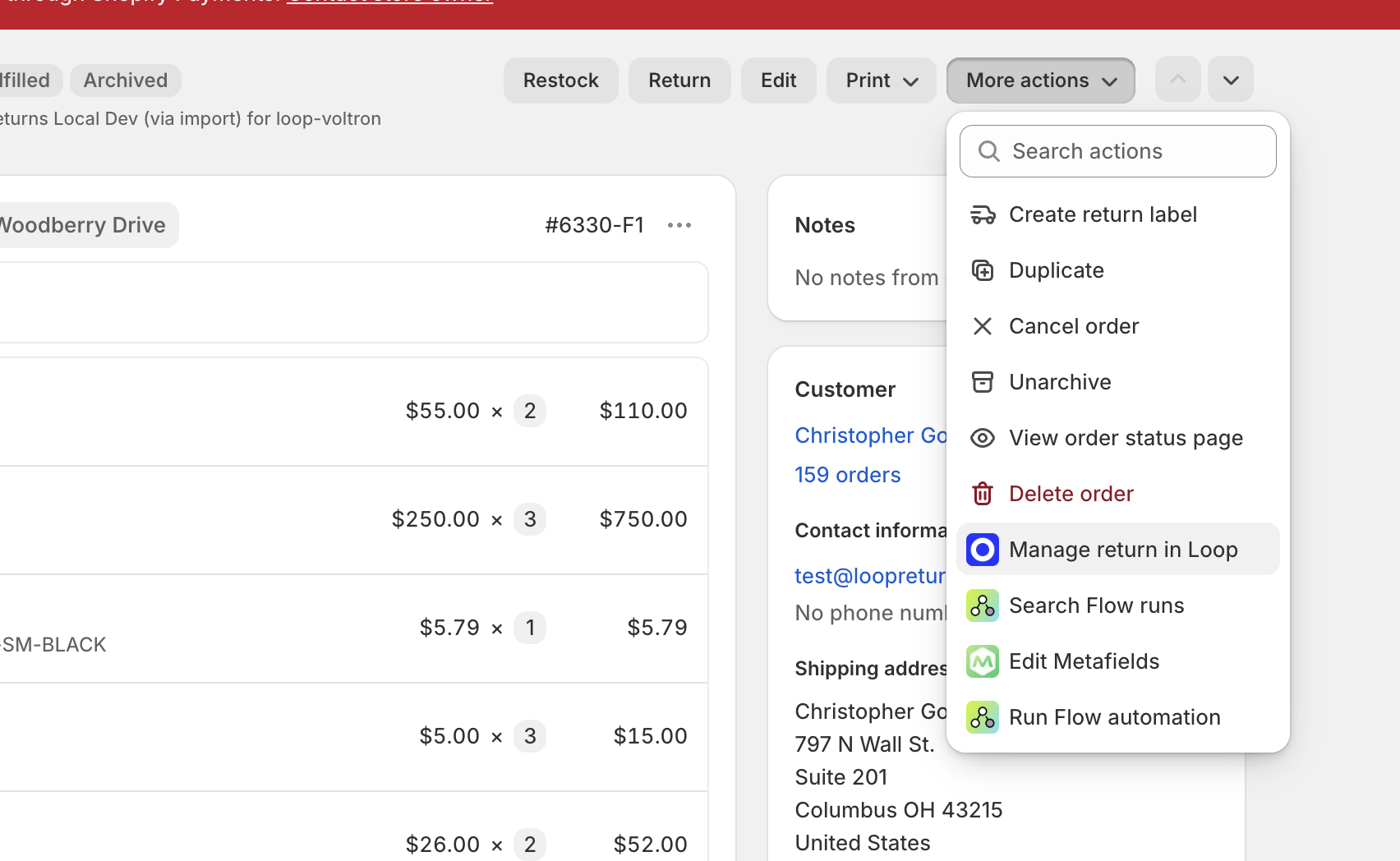
Open any order in Shopify admin.
Go to More actions > Manage return in Loop.
If the order has a return
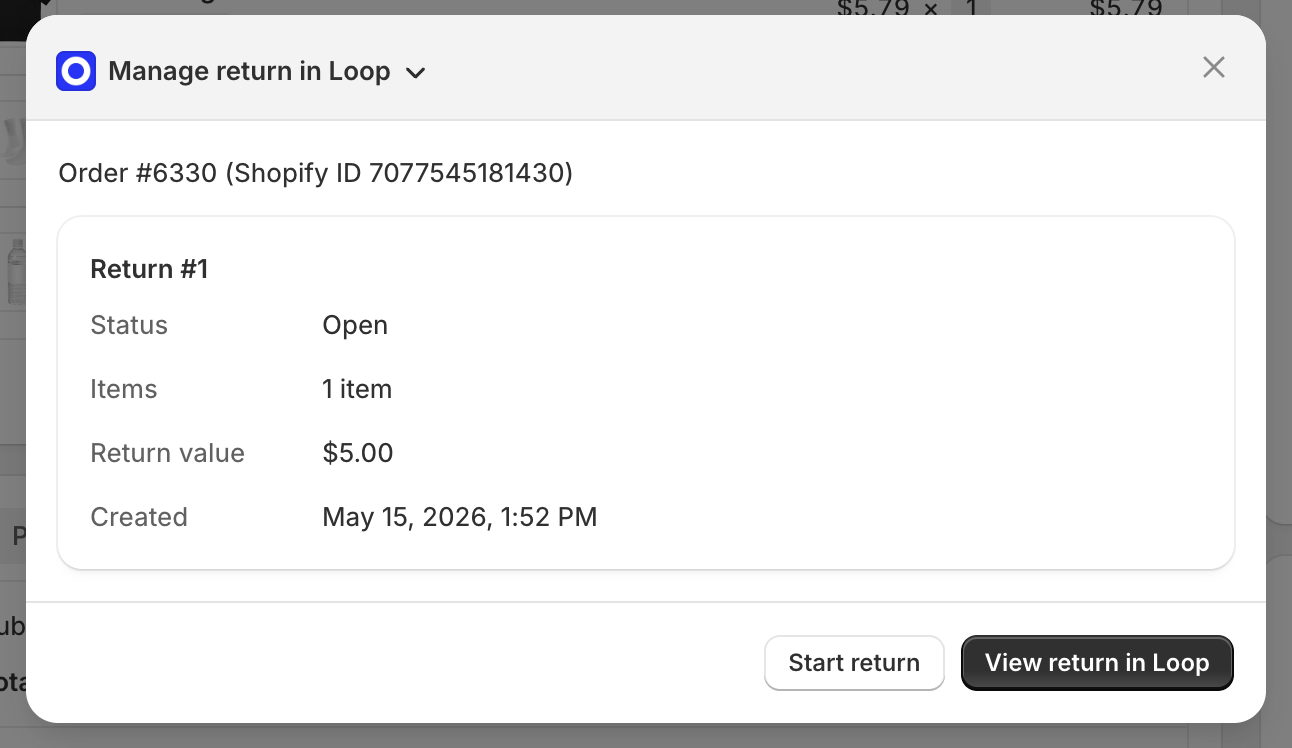
The window shows a summary card for each return. From here you can:
Click View return in Loop to open the return in Loop admin.
Click Start return to open Find an order in Loop admin with the order number already filled in.
If the order has no return
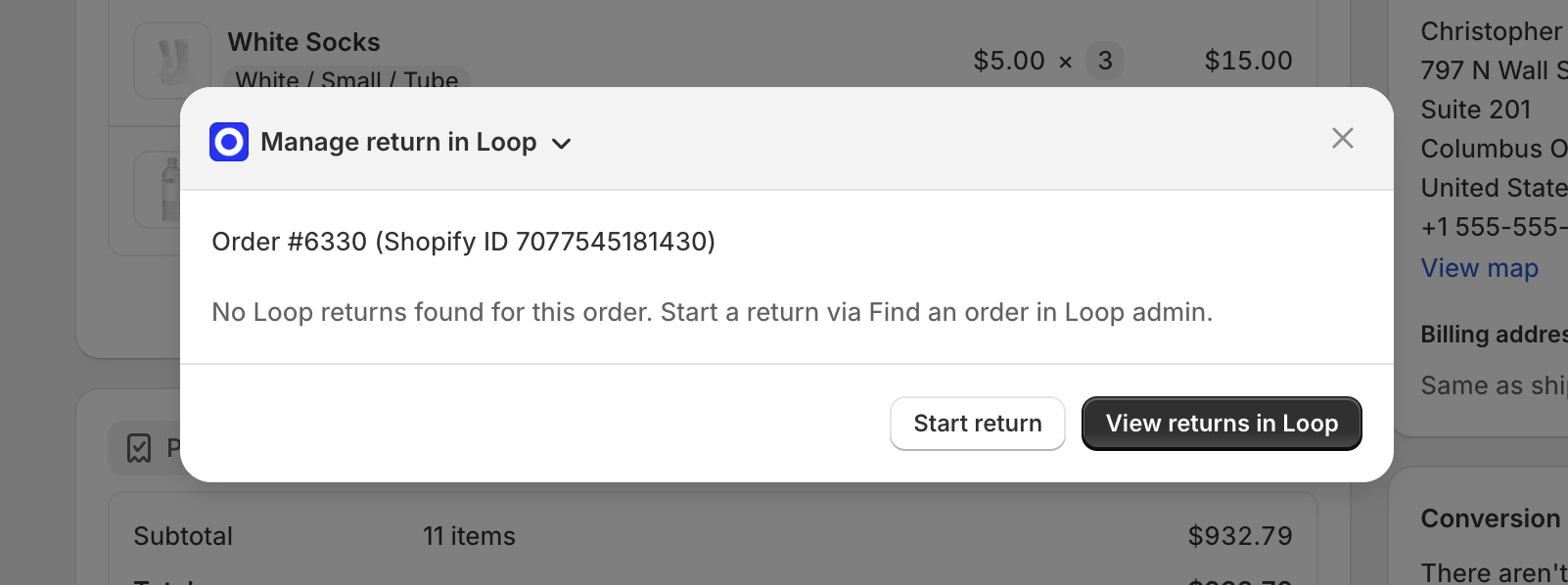
The window shows that no Loop returns were found for this order. Click Start return to begin one.
Note: View return in Loop and Start return open Loop in a new browser tab. You'll need to be logged in to Loop admin to continue.
FAQ
Where do I find this in Shopify admin? Open an order, then go to More actions > Manage return in Loop.
Do I need to set anything up? Not in Loop. If Loop Returns is installed and your shop is active, the menu item appears automatically for Shopify admins. Staff who aren't admins need Loop Returns & Exchanges checked under App permissions on their Shopify role. See Requirements.
What does Start return do? It opens Loop's Find an order page with the order number already filled in and searched, so there's no copying and pasting.
Can I start a return if one already exists? Yes. Use Start return to begin another return on the same order.
Can shoppers use this? No. It's only for merchant staff in Shopify admin.
The window says "Loop is not activated for this merchant." What does that mean? Your shop isn't active in Loop. Contact your Merchant Success Manager or reach out to support.
"Manage return in Loop" isn't showing in More actions. What should I do? First, confirm the Loop Returns Shopify app is installed on your store. If it is, check the staff member's Shopify role: go to Settings > Users > Roles, edit their role, and make sure Loop Returns & Exchanges is checked under App permissions and the role can view orders. Making the user an admin isn't required. If the option still doesn't appear, contact Loop support.
Please reach out to support@loopreturns.com with any additional questions.