SellerCloud Integration
OVERVIEW
SellerCloud is a multichannel order and inventory management platform (part of the Descartes family) that merchants use to run fulfillment and warehouse operations. Loop’s 2-way SellerCloud integration keeps returns in sync between the two systems: when a customer opens a return in Loop, Loop automatically creates a matching RMA in SellerCloud, and as your warehouse processes those RMAs, Loop grades the items and flags any discrepancies on the original return.
Use the menu on the left to quickly navigate this article.
This integration is built and maintained by Loop. For any questions about setup or troubleshooting, reach out to support@loopreturns.com.
What it is
SellerCloud is an order and inventory management system (OMS/IMS) in the Descartes family that merchants use to manage orders, inventory, and warehouse operations across their sales channels. Loop’s integration connects your Loop returns to SellerCloud so that returns initiated in Loop are created as RMAs (Return Merchandise Authorizations) in SellerCloud, and the warehouse’s processing of those RMAs flows back to Loop automatically — giving your operations and support teams one accurate picture of every return with no manual re-keying.
How it works
Once connected, Loop begins creating RMAs in SellerCloud any time a return is submitted in Loop by a customer. As your warehouse processes those RMAs, Loop checks back on a regular schedule and updates or flags the return in Loop automatically.
A customer submits a return in Loop.
Loop looks up the matching original order in SellerCloud and creates a corresponding RMA there automatically — including the returned items, quantities, and (where mapped) return reasons.
Your warehouse team receives and processes the return in SellerCloud as usual, marking items received and setting resolutions.
About every 15 minutes, Loop checks SellerCloud for the RMAs it created that have been updated.
Loop compares what SellerCloud received against what the customer said they were returning, grades the items, and flags any discrepancies (such as a missing item or a quantity mismatch) on the return in Loop for manual review.
Additional details
RMAs are created in SellerCloud in near real time — as soon as the return is submitted in Loop. Processed returns typically reflect back in Loop within about 15 minutes.
Loop guards against duplicates, so a repeated return event won’t create a second RMA in SellerCloud.
The original order must already be shipped in Sellercloud. Sellercloud won't accept an RMA for an unshipped order, so a return created before its order ships is rejected rather than queued, Loop marks it as ignored, and there's no automatic retry or later sync once the order ships. If this happens, the return needs to be handled manually.
Canceling a return directly in SellerCloud is not part of the initial launch — canceled returns must be manually processed or canceled in Loop.
Important: Loop matches returned items to the SellerCloud order by SKU. To avoid issues, product SKUs should match between Loop and SellerCloud. If any returned SKU can’t be found on the SellerCloud order, the entire RMA fails for that return (not just the affected line) and surfaces as a failed sync, so you can resolve it — usually by aligning SKUs between the two systems.
Setup
To set up this integration, you’ll connect Loop and SellerCloud through the setup portal. To get your self-onboarding link, reach out to your Merchant Success Manager, Onboarding Specialist, or support@loopreturns.com.
What you’ll need
SellerCloud Server ID — the subdomain in your SellerCloud API address (for example,
looptrial). You can find this in your SellerCloud account URL or from your SellerCloud administrator.API Username — the username of a SellerCloud user with API access. SellerCloud recommends creating a dedicated user for this integration.
API Password — the password for that API user.
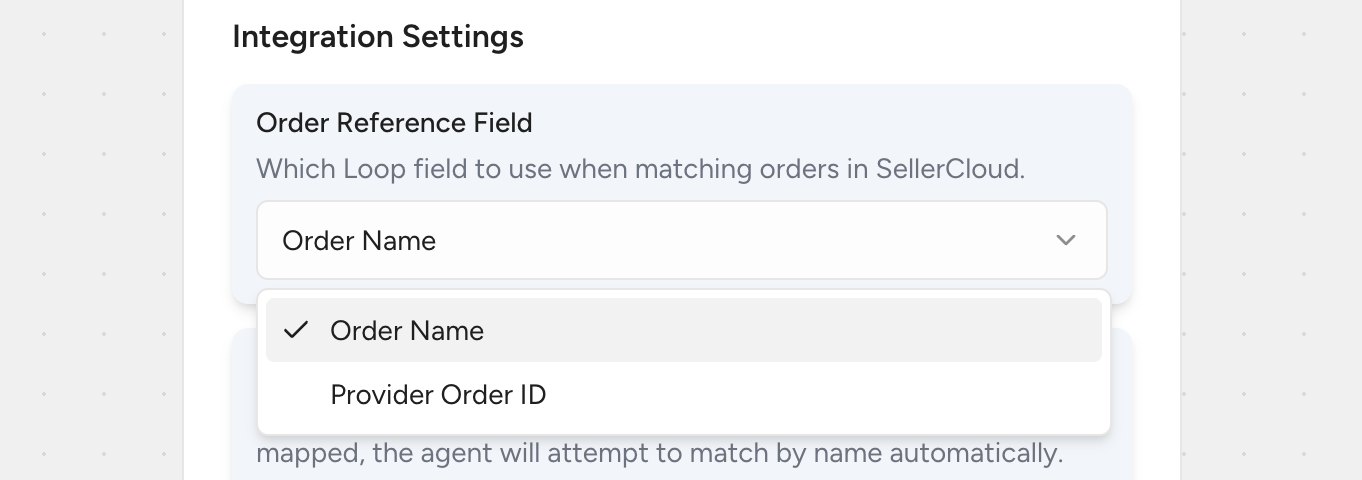
Order reference field — decide whether Loop should match orders to SellerCloud using the order name or the provider order ID, based on how your orders appear in SellerCloud.
(Optional) Return reason mapping — a list matching your Loop return reasons to your SellerCloud return reason names.
(Optional) Flag reasons — the SellerCloud resolution or return-reason values you want Loop to flag as discrepancies (for example,
DamagedorDefective).
Steps
In SellerCloud, create (or identify) a dedicated API user with permission to read orders and create/read RMAs.
Open the self-onboarding link provided by the Loop team to access the setup portal.
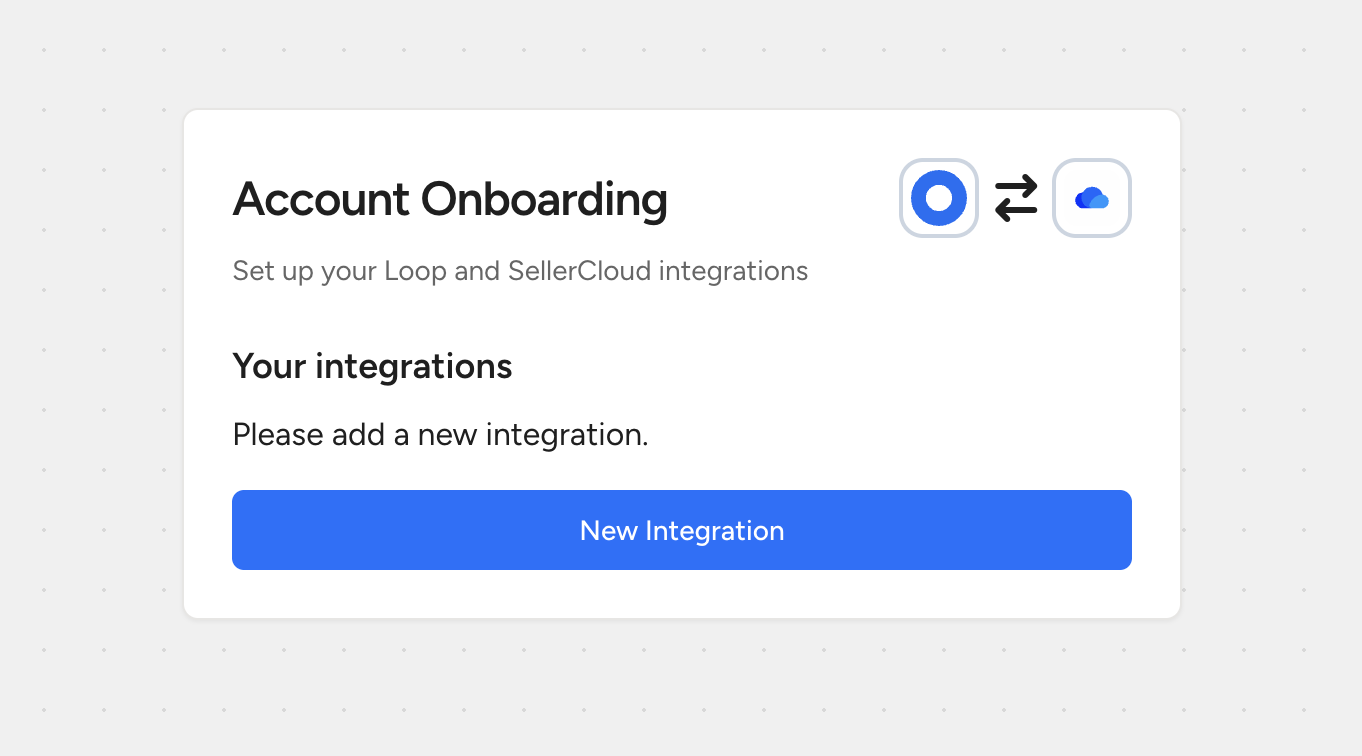
Enter your Server ID, API Username, and API Password to connect your SellerCloud account.
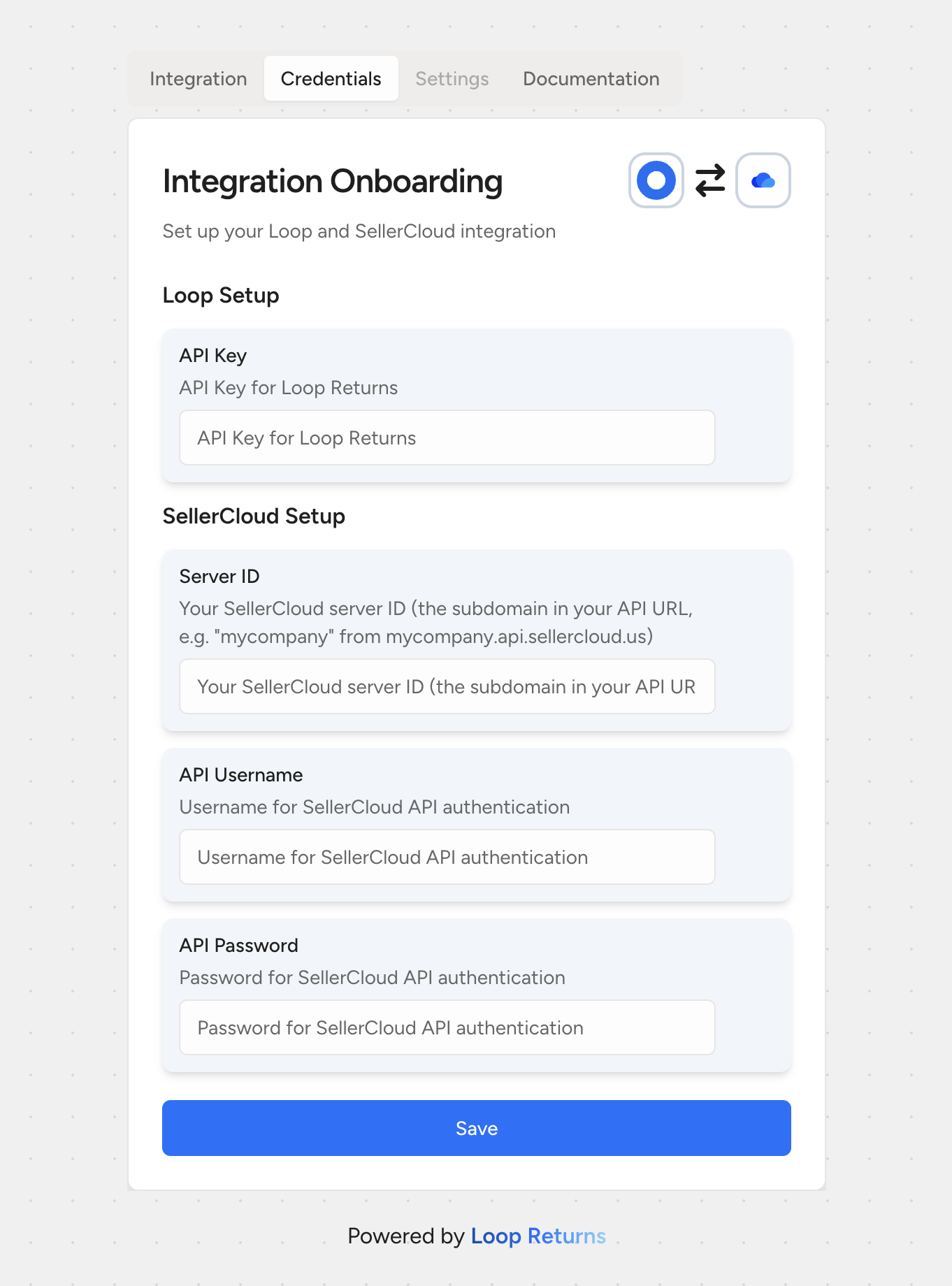
Note: You don’t need to generate or paste an access token — Loop authenticates and manages the connection token automatically once your credentials are saved.Choose the order reference field (order name or provider order ID) that matches how your orders are stored in SellerCloud.
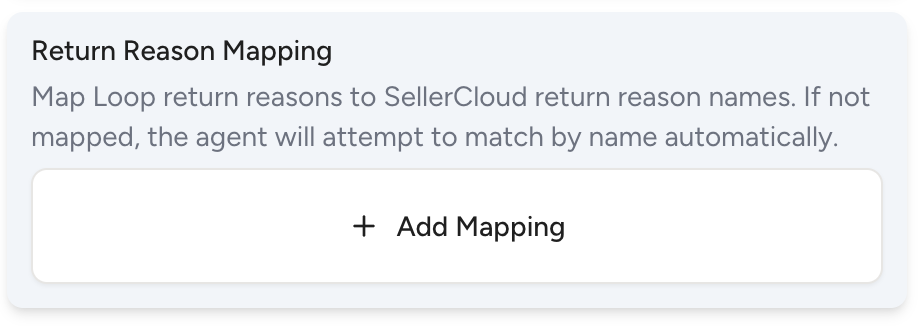
(Optional) Set up your return reason mapping so Loop reasons carry over to the correct SellerCloud reasons. If a reason isn’t mapped, Loop tries to match it by name; if there’s no match, SellerCloud applies its own default reason.
(Optional) Add any flag reasons you’d like Loop to surface as discrepancies (for example,
DamagedorDefective).(Optional) Restrict the integration to specific return destinations if you only want certain returns synced.
Click Save. New returns will begin creating RMAs in SellerCloud automatically, and Loop will start checking for processed returns on its regular schedule.
Tip: Setup takes only a few minutes once you have your Server ID, API Username, and API Password ready.
FAQ
How quickly does a return appear in SellerCloud?
RMAs are created in SellerCloud in near real time — as soon as the return is submitted in Loop, provided the original order has already shipped.
How quickly does Loop reflect a return that my warehouse processed?
Loop checks SellerCloud about every 15 minutes, so processed returns are typically reflected within that window.
What happens if a return is created before its order has shipped?
Sellercloud won't accept an RMA for an unshipped order, so the return is rejected rather than queued. Loop marks it as ignored, there's no automatic retry or later sync once the order ships. You'll need to handle that return manually.
What happens if the SKU on a returned item doesn’t match the order in SellerCloud?
Loop matches returned items to the SellerCloud order by SKU. If any returned SKU can’t be found on the order, the entire RMA fails for that return (not just the affected line) and surfaces as a failed sync, so it can be resolved — usually by aligning SKUs between the two systems.
What if I don’t map a return reason?
That’s fine. If a Loop return reason isn’t mapped, Loop tries to match it to a SellerCloud reason by name; if there’s no match, SellerCloud applies its own default reason rather than sending an incorrect one.
I added a new return reason in SellerCloud but it’s not matching yet — why?
Loop caches SellerCloud return reasons for about an hour, so a newly added reason can take up to an hour to become available for matching. It should map automatically once the cache refreshes.
What counts as a discrepancy?
Loop flags a return when an item is missing from the RMA, when fewer units were received than the customer said they were returning, or when the SellerCloud resolution or return reason matches one of your configured flag reasons (like Damaged or Defective).
My credentials stopped working — what should I check?
Most often this is a password that has changed or expired on the SellerCloud side. Updating the API Password in the integration settings resolves it. If you’re unsure, reach out to support.
Do I need a developer to complete setup?
No — this can be completed by any user with Loop access and SellerCloud API credentials.
Who manages this integration, and is there an additional cost?
This integration is built and maintained by Loop. Any merchant with access to integrations in Loop can use it at no additional cost.
Please reach out to support@loopreturns.com with any additional questions.