
Set Up Checkout+ Benefits
OVERVIEW
Checkout+ lets you go beyond Returns Coverage by adding more Checkout+ benefits to the offer shoppers see at checkout. This article explains how to add free shipping, a discount code for the shopper's next purchase, and a custom benefit, and how the Checkout+ fee works when you add them. It's for merchants who already use Checkout+ and want to give shoppers more reasons to buy and come back.
Use the menu on the left to quickly navigate this article.
What it is
Checkout+ benefits are the perks bundled into the single Checkout+ offering your shoppers can opt into in the cart. Your offering always includes Returns Coverage, and you can add any of the following to it:
Package Protection: Cover shoppers' packages against loss and theft.
Discount Code: Give shoppers a code for their next purchase, sent by email after they order.
Free Shipping: Offer free shipping on the outbound order.
Custom Benefit: Create your own perk, such as a free gift with purchase, early access to new drops, or a giveaway entry.
Why it matters
Adding benefits to Checkout+ gives shoppers more confidence before they buy and a reason to come back after they do.
Reduce checkout hesitation. Add Free Shipping if shipping costs hold shoppers back. It removes one of the most common reasons shoppers abandon a cart.
Drive repeat purchases. Add a Discount Code so every Checkout+ order includes a reason to shop again. Discount Codes run alongside your existing loyalty program, so shoppers who haven't joined yet still have a reason to come back.
Show off your brand. Add a Custom Benefit, such as early access or a free gift, to make Checkout+ feel like part of your brand.
Earn more at checkout. You set an additional fee that covers all of your added benefits, so you know what you earn each time a shopper opts in.
What your shoppers see
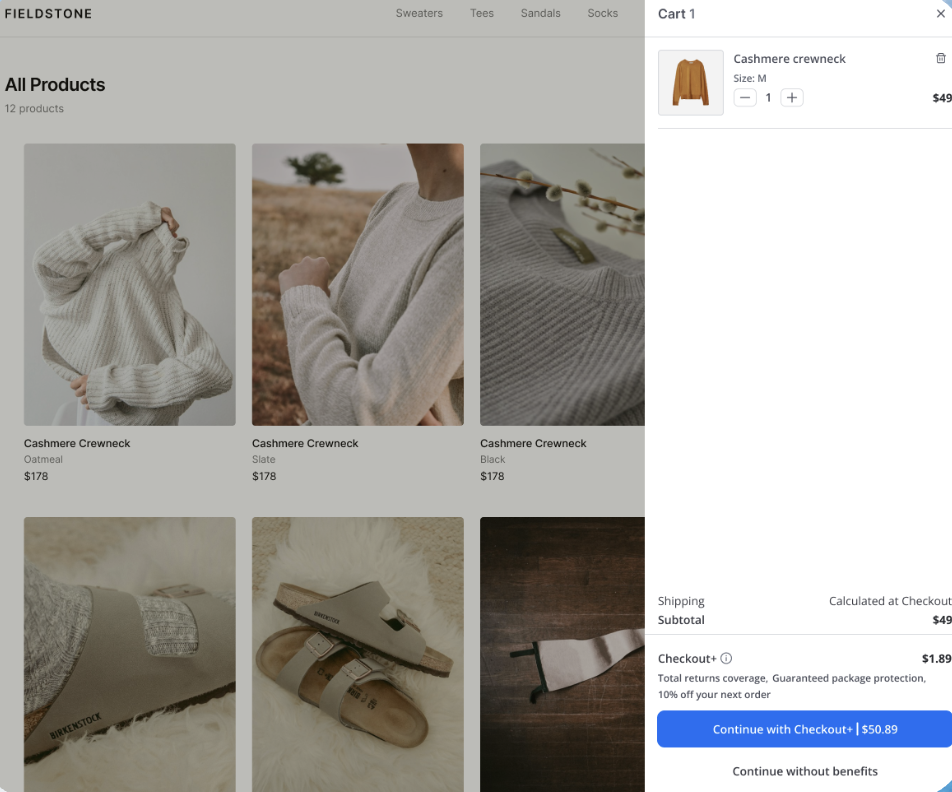
Shoppers see a single Checkout+ offer at checkout that lists the benefits you have turned on, along with one fee in the cart.
Setup
Follow the steps below to add benefits to your Checkout+ offer. You only need to complete the settings for the benefits you want to add.
There is no Shopify setup required for any of these benefits. Loop handles everything on the Shopify side for you, including creating and managing discount codes. You only need to configure your benefits in Loop admin.
In Loop admin, click Checkout+ in the main navigation.
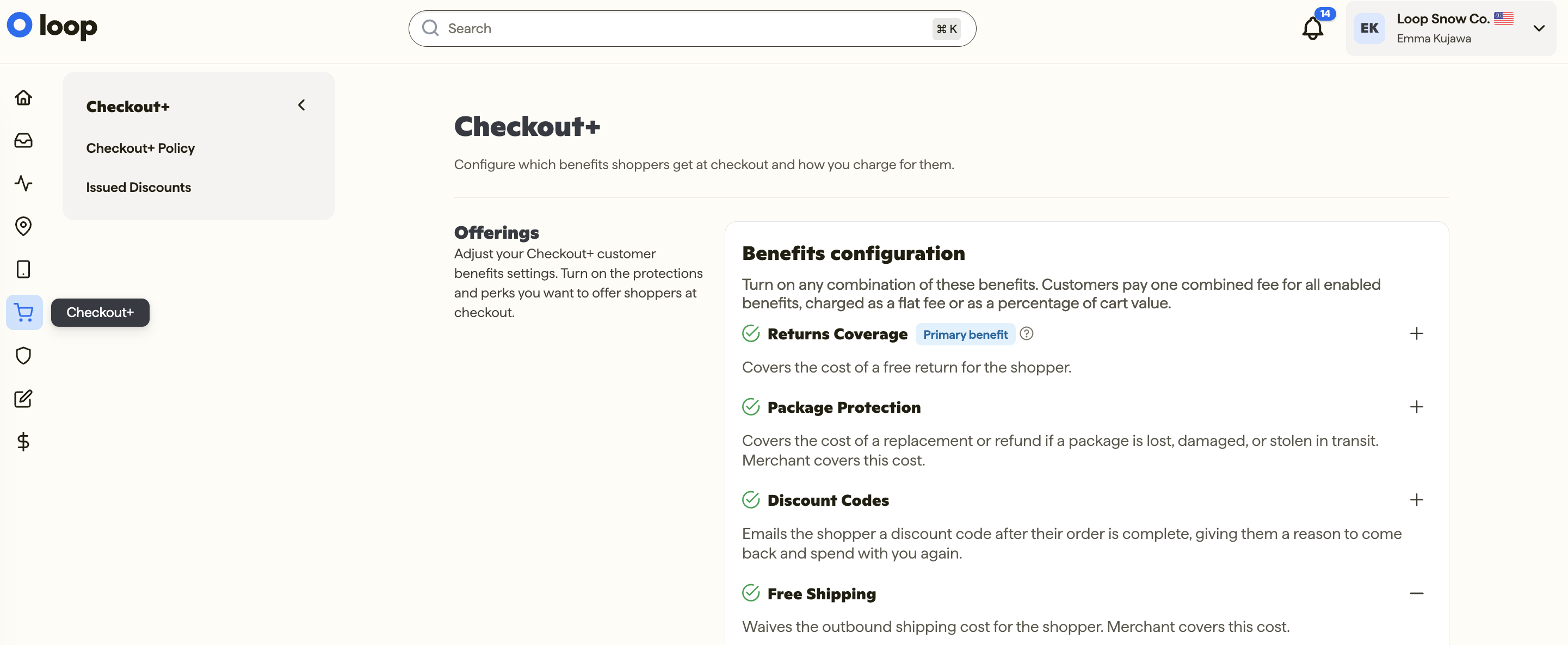
Find the benefit you want to add (Package Protection, Discount Codes, Free Shipping, or Custom Benefit) and turn it on
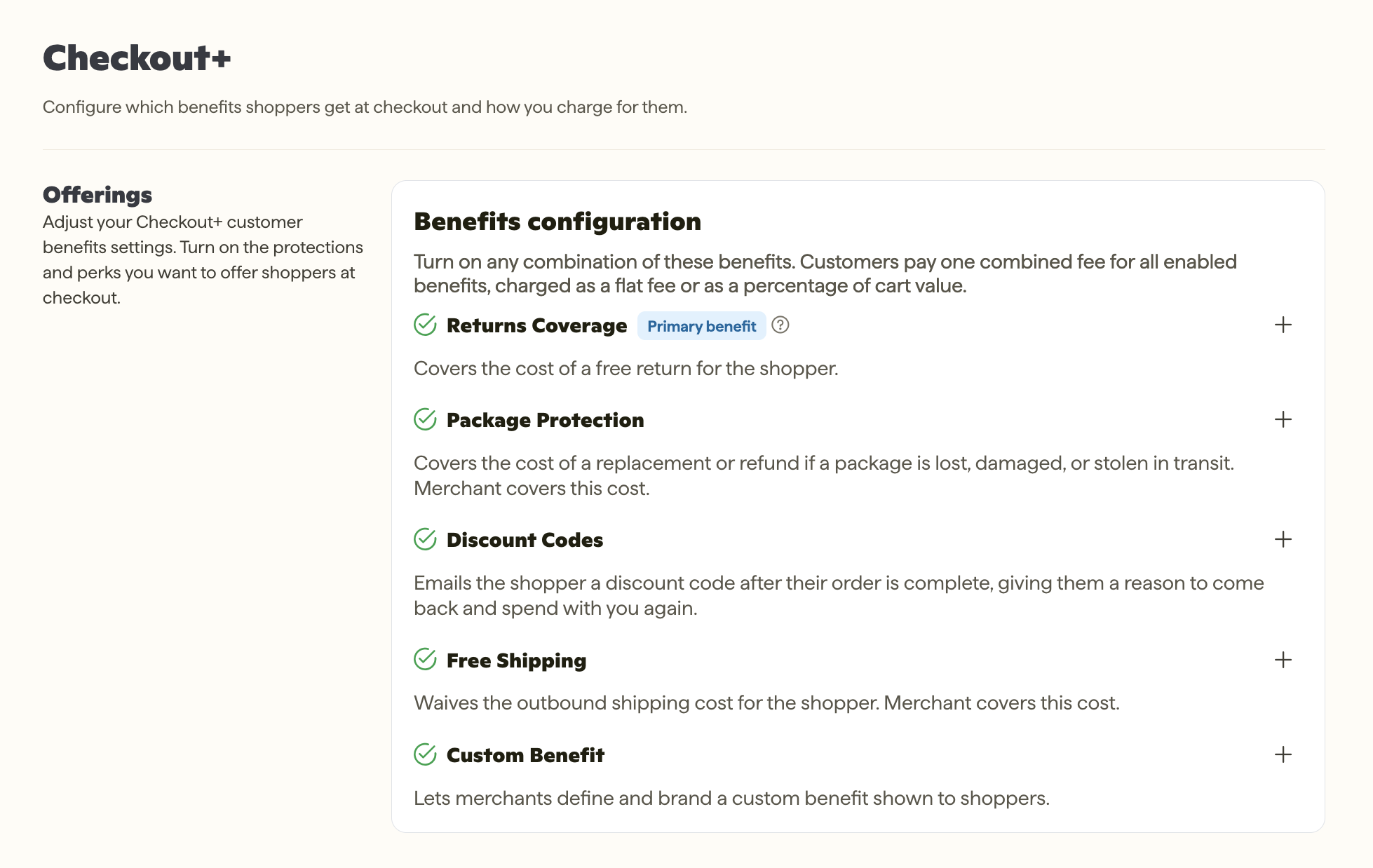
Complete the settings for each benefit you turned on:
Package Protection: Optionally add any exclusions.
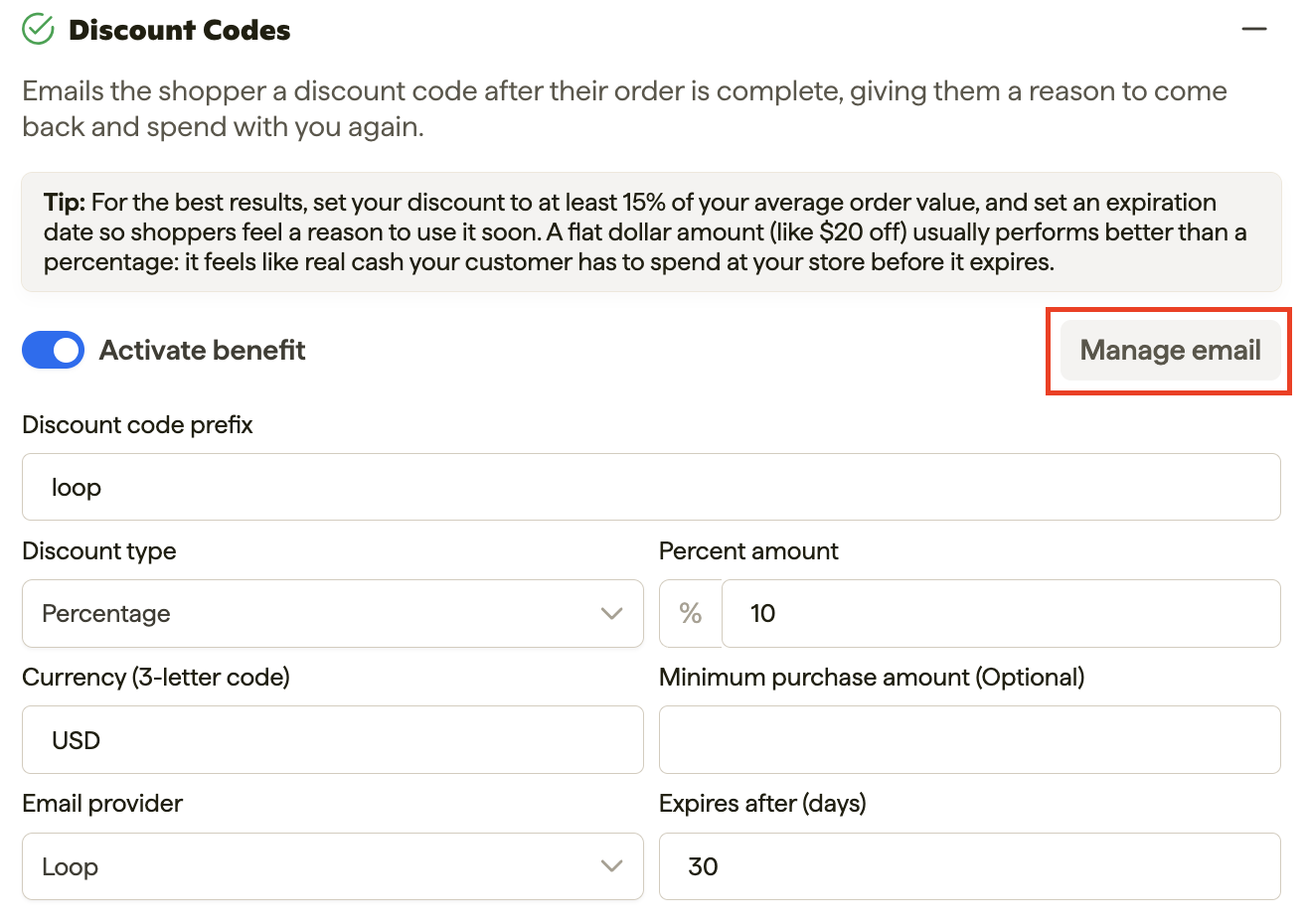
Discount Codes: Enter a Discount code prefix, which is required to turn on this benefit. Confirm setup on emails sent to your shoppers. See full instructions below.
Tip: For the best Discount Code results, set the discount to at least 15% of your AOV and set an expiration date so shoppers feel a reason to use it soon. A flat dollar amount (like $20 off) usually performs better than a percentage because it feels like real cash the shopper has to spend before it expires.
Free Shipping: Enter the Maximum shipping rate. This field is required.
Custom Benefit: Enter a name and a short description for your benefit.
(Optional) Enter an Additional fee. This one fee covers all of the additional benefits you have turned on. Any additional revenue collected will go directly to you.
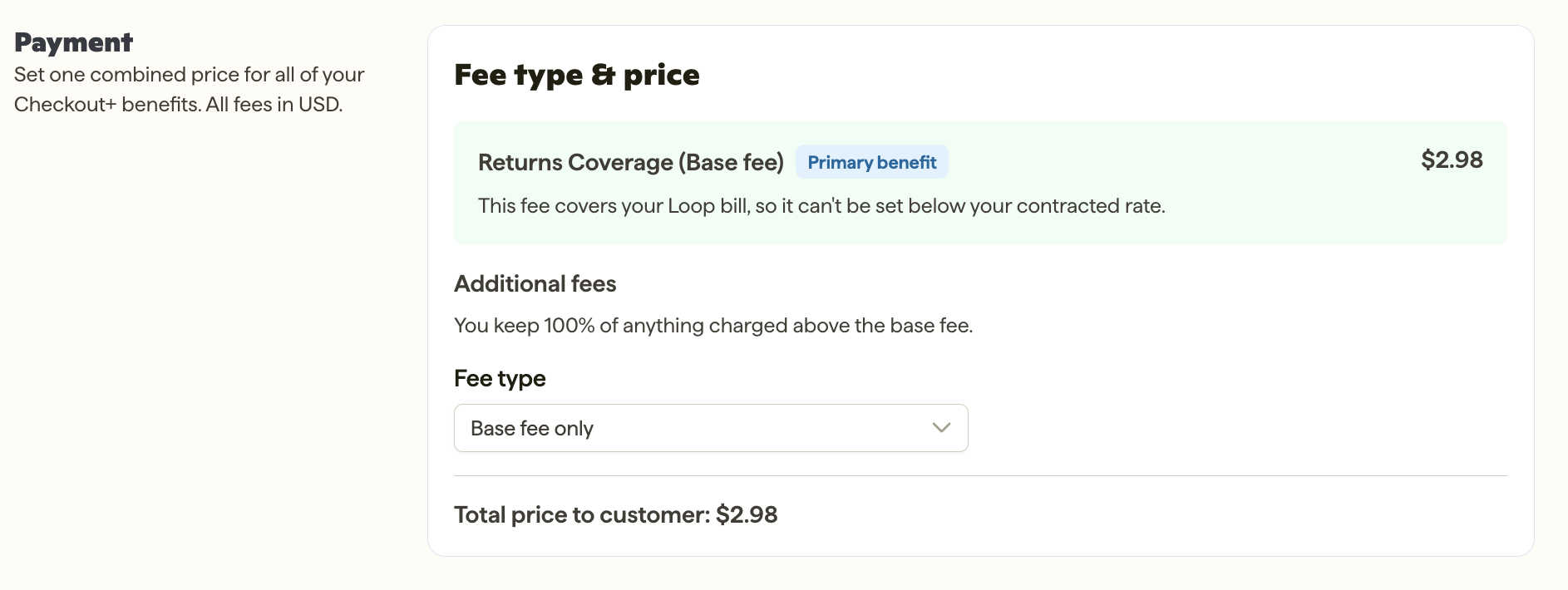
Note: To help keep shopper opt-in rates high, the total Checkout+ fee (base fee plus additional fee) can't exceed 7% of your shop's average order value (AOV). Shoppers are more likely to add Checkout+ when the fee feels small relative to their order.
Click Save to apply your changes. Upon save, your Shopify storefront will be updated. This may take 1-2 minutes.
Setting up Discount Code emails
Shoppers receive their discount code by email after they place an order. Loop sends this email automatically, so there is nothing to turn on. If you'd like to send the email from Klaviyo instead, or customize the Loop email, use one of the options below.
Option 1: Customize the Loop email (optional)
Loop's discount code email works as is. If you'd like to customize the email HTML, follow the steps below.
Click Manage email.
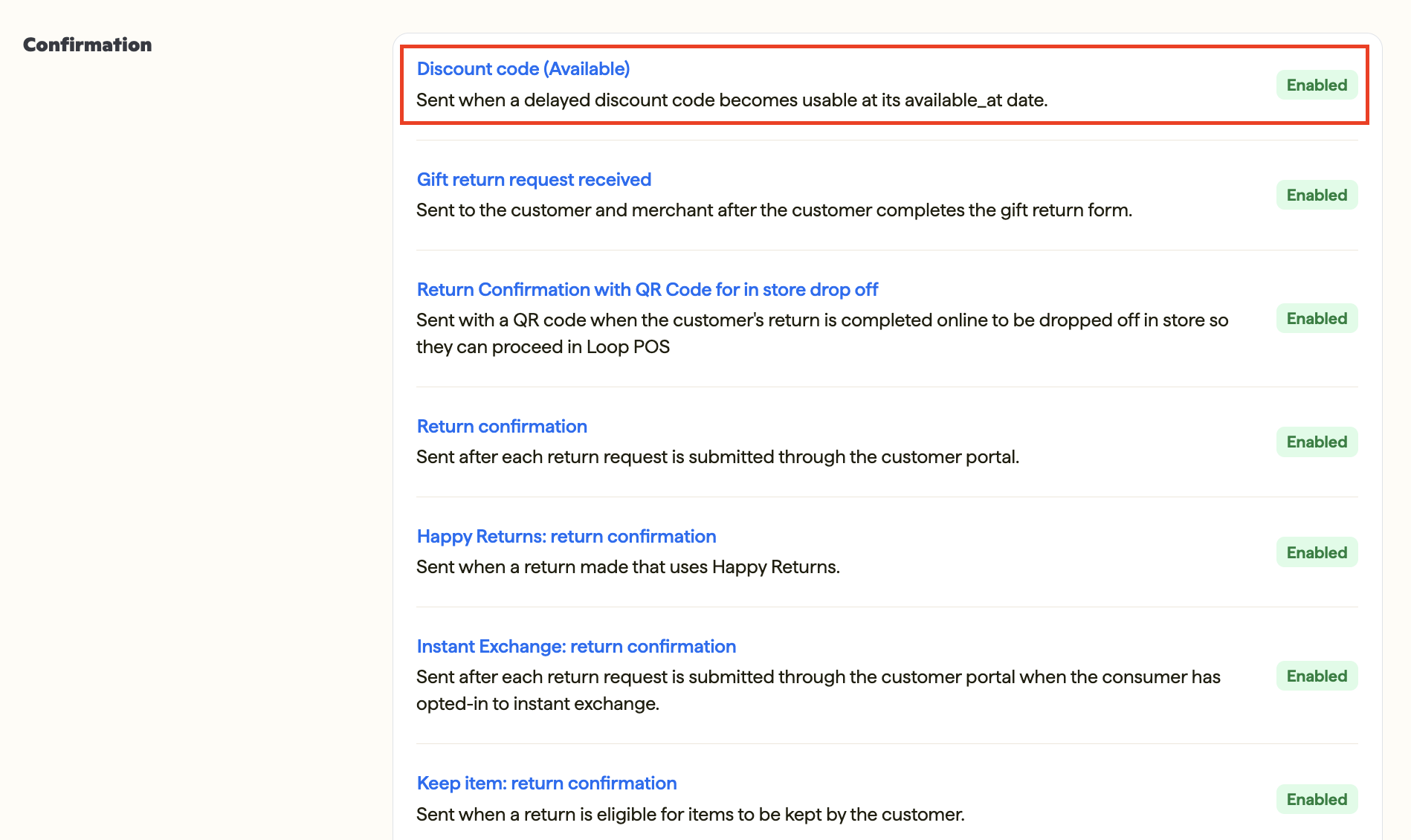
Go to Confirmation > Discount codes.
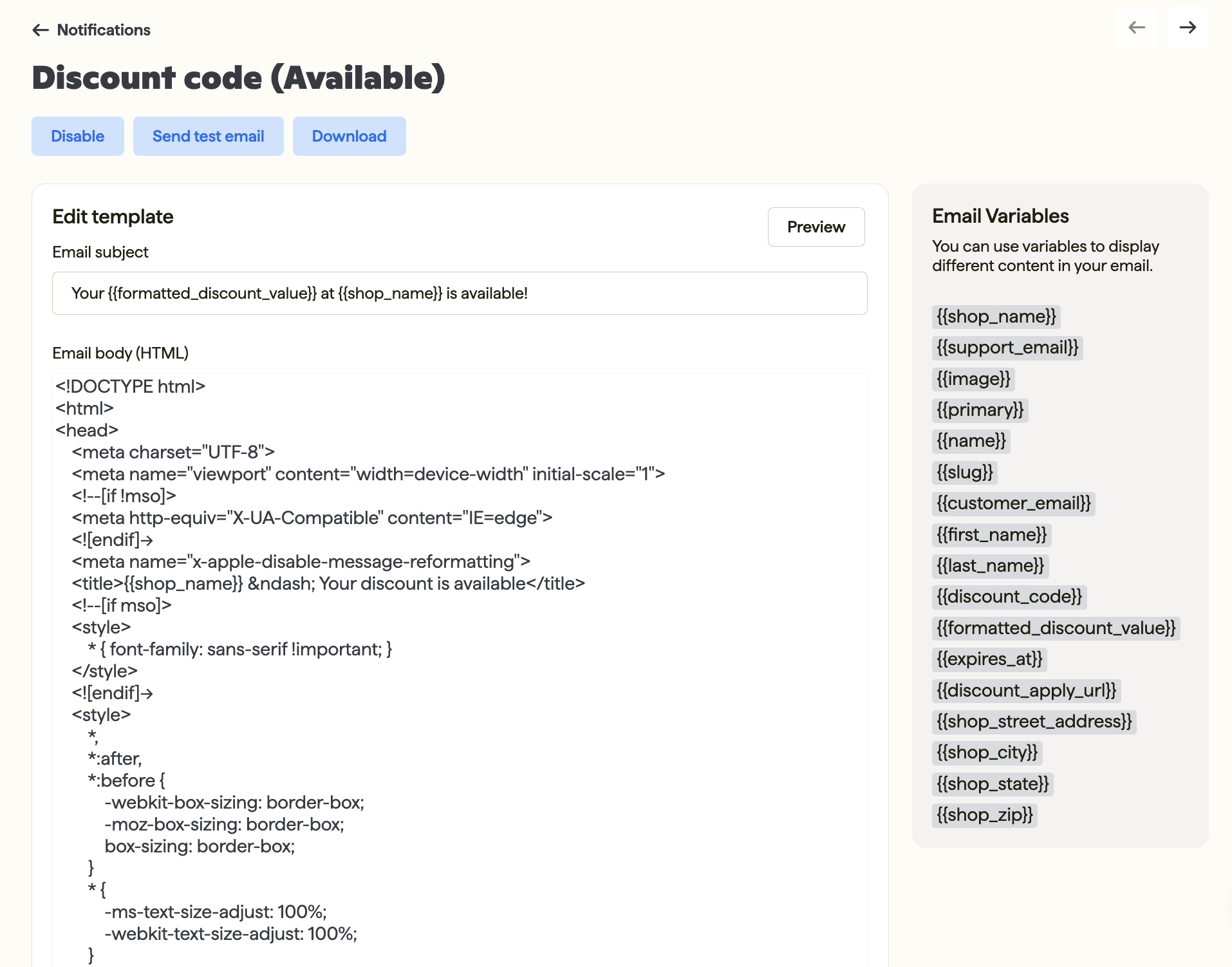
Edit the email HTML, then save your changes.
Option 2: Send the discount code email with Klaviyo
Loop sends Klaviyo the details of each discount code, and you build the email in Klaviyo.
In Klaviyo, create a new Flow that starts from a trigger.
Select a trigger: Your metrics > Group: API > CheckoutPlus Purchase.
Add an action: Email. Select your email template and subject line, then set the email status to Live.
Set the Flow status to Live.
Important: Make sure both the email and the Flow are set to Live in Klaviyo. If either is in draft, shoppers won't receive their discount code.
In your Klaviyo email template, you can use the following details from Loop:
Detail | What it contains |
|---|---|
loop_discount_code | The discount code the shopper uses |
loop_discount_link | A link to your store that preloads the discount (in standard Shopify setups) |
loop_discount_order_percentage | The percentage discount amount |
loop_discount_amount | The flat discount amount (empty when the discount is a percentage) |
loop_discount_expiration_date | The date the code expires |
Plan information
If you aren't currently using Checkout+ want to add this feature, please contact your Merchant Success Manager to amend your account.
FAQ
Do I need to set anything up in Shopify? No. Loop handles all of the Shopify setup for you, including creating the discount codes. You only configure your benefits in Loop admin.
Can I lower the base fee? No. The base fee is set when you sign up for Checkout+ and is a minimum. You can adjust the additional fee for the other benefits you offer.
Can I add or remove benefits at any time? Yes. Free Shipping, Discount Code, and Custom Benefit can be added or removed at any time in Loop admin without a contract change.
Why don't I see Free Shipping on some orders? If an order already qualifies for free shipping, the Free Shipping benefit is removed from the Checkout+ offer for that order.
Do I need to turn on the discount code email? No. Loop sends the email automatically. Customizing the email HTML is optional.
How long do shoppers have to use their discount code? You choose. Set the Expiration (days) when you set up the Discount Code benefit.
Will a Discount Code conflict with my loyalty program? No, Checkout+ Discount Codes run alongside your loyalty program and are designed to bring shoppers back for a second purchase, including shoppers who haven't joined your program.
How can I view discount codes that have been sent to shoppers? All discount codes are displayed in your Loop admin under Checkout+ > Issued Discounts.
What happens to a discount code if the shopper's order is canceled or refunded?
If the order is canceled or refunded, or Checkout+ is removed from the order, Loop automatically cancels the discount code. The shopper can no longer use it.
Please reach out to support@loopreturns.com with any additional question