
Exchange Creation Options
OVERVIEW
This article explains Loop's two methods for creating exchange orders in Shopify—Native Exchanges, which add exchange items to the original order using Shopify's built-in functionality, and Separate Exchange Orders, Loop's legacy approach that creates new orders for each exchange. It compares the benefits and limitations of each method, including reporting accuracy, structured data organization, fulfillment provider compatibility, third-party order support, and reconciliation requirements to help merchants choose the best option for their setup.
Use the menu on the left to quickly navigate this article.
Loop can create exchange orders in Shopify in two ways, each with its own benefits and limitations. The best option depends on merchant preference and their Shopify setup. Here, we outline the details of each option to help you make an informed decision.
Option 1: Native Exchanges
Add exchange items to original order via Shopify's Native Exchange functionality. Learn more about Native Exchanges here.
This is Shopify's newer exchange functionality that they built. This is the most seamless, but there are some limits to who is eligible.
Benefits
Better reporting
No reconciliation needed for sales reports in Shopify.
Structured data
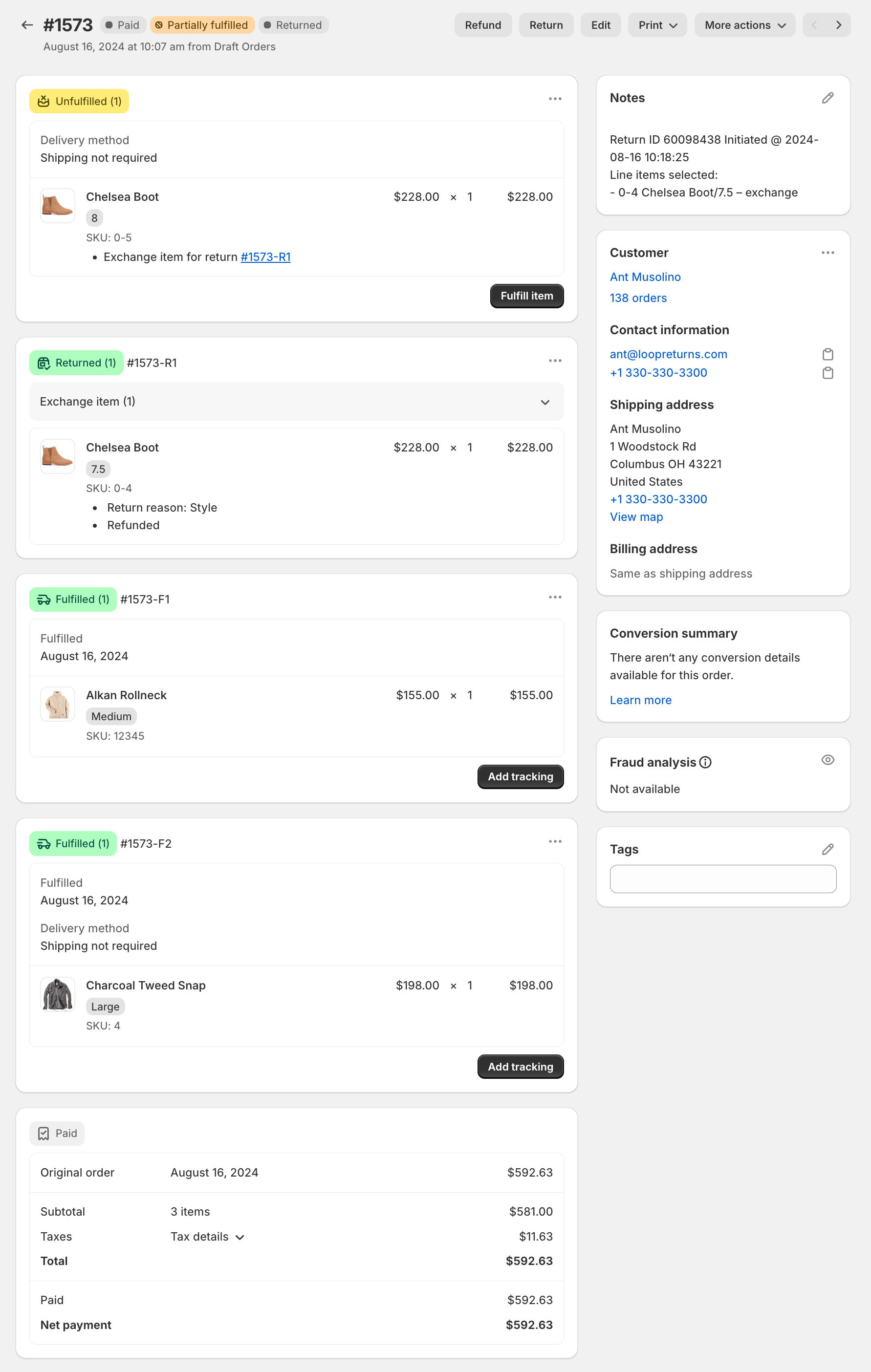
All exchange items are recorded on the same order, so it's easy to see all exchanges that are related to the same original order in one view.
Limitations
Fulfillment: shipping provider (3PL/warehouse/ERP) must be able to handle multiple fulfillments on a single order.
Fulfill.io and Shipstation are shipping providers who are compatible with this option. Others may be compatible as well but could require testing.
If you're not sure, please ask the provider before making a decision.
Third-party orders: Exchanges cannot be offered to shoppers for orders that are placed through third-parties, such as Meta (Facebook/Instagram). Shoppers will only be offered store credit or refund.
Here is how an exchange shows up on an order in Shopify:
Option 2: Separate Exchange Orders
Create separate exchange orders
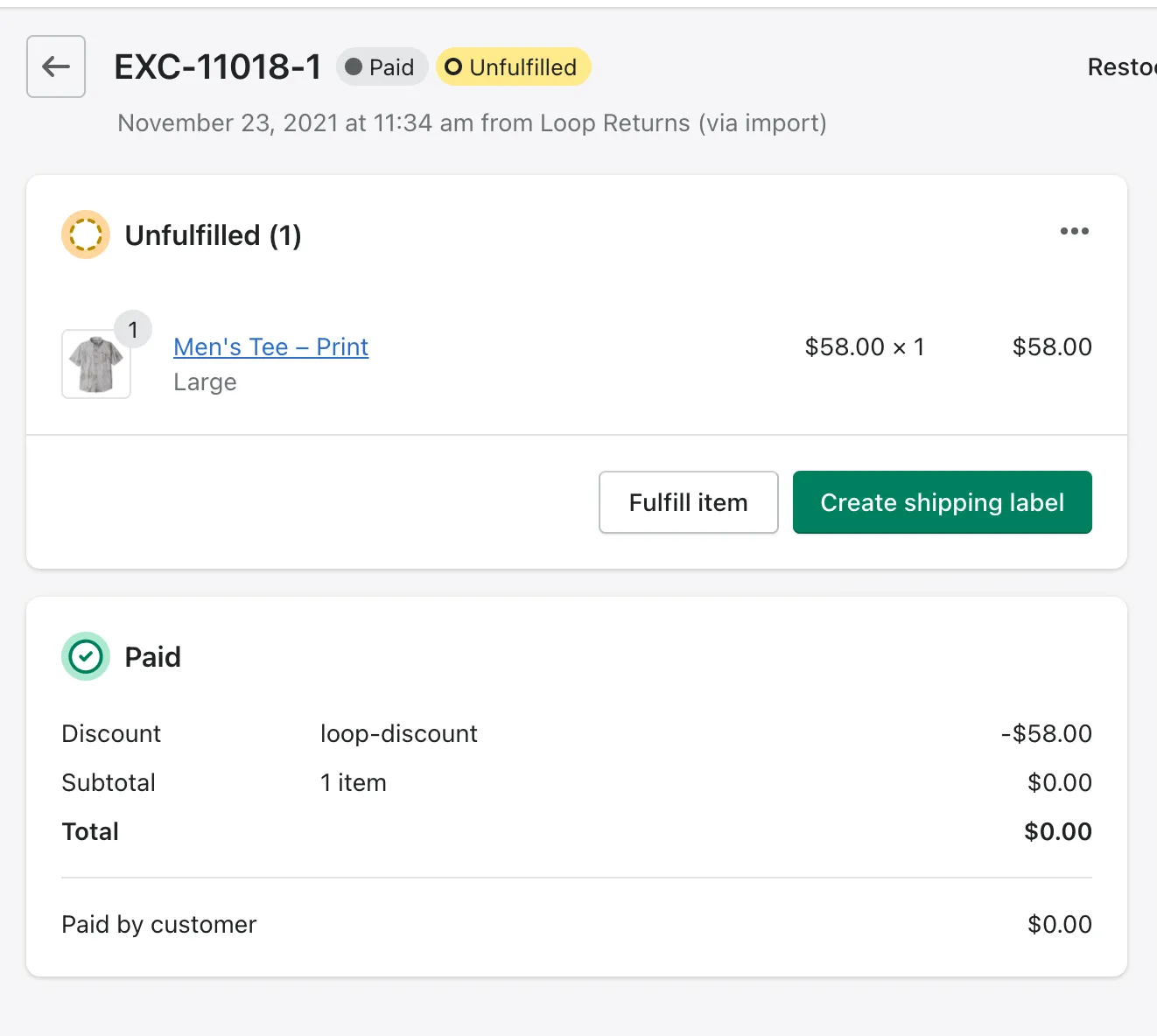
This is Loop's legacy functionality where a new exchange order is created for each exchange request.
Benefits:
More configurability on how Loop creates exchange orders
Beneficial for merchants who have integrations into third-party systems, such as Netsuite.
Exchanges exist as a separate order
Eliminates the need for fulfillment providers to support multiple fulfillments on a single order
Makes it easier for third-parties to identify new exchanges.
Limitations:
Reconciliation needed for sales reporting in Shopify
Requires reconciliation for Shopify reporting to be accurate
Will inflate discounts, returns, and/or net sales depending on your configuration
Here is an example of an exchange order:
Please reach out to support@loopreturns.com with any additional questions.