
Checkout+ Shopify Setup
OVERVIEW
This article explains how to set up Checkout+ in the merchant's Shopify store. It covers enabling the Loop Storefront app embed in Shopify themes to activate Checkout+ in the cart, adding the Checkout+ app block to the checkout process for accurate pricing with discount codes, and configuring checkout rules to prevent multiple Checkout+ products from being added to a single order.
Use the menu on the left to quickly navigate this article.
Checkout+
Checkout+ is a consumer-paid returns model designed to benefit both merchants and shoppers. Merchants can eliminate the burden of return expenses while shoppers can unlock free returns by paying a small fee at checkout.
Setup
Before following the steps below, the merchant should confirm with their Merchant Success Manager that they're a Checkout+ customer.
Set up Checkout+ in the Cart:
In the Shopify admin, navigate to Sales channels → Online Store → Themes.
Find the theme to use for the want to edit, and then click Customize.
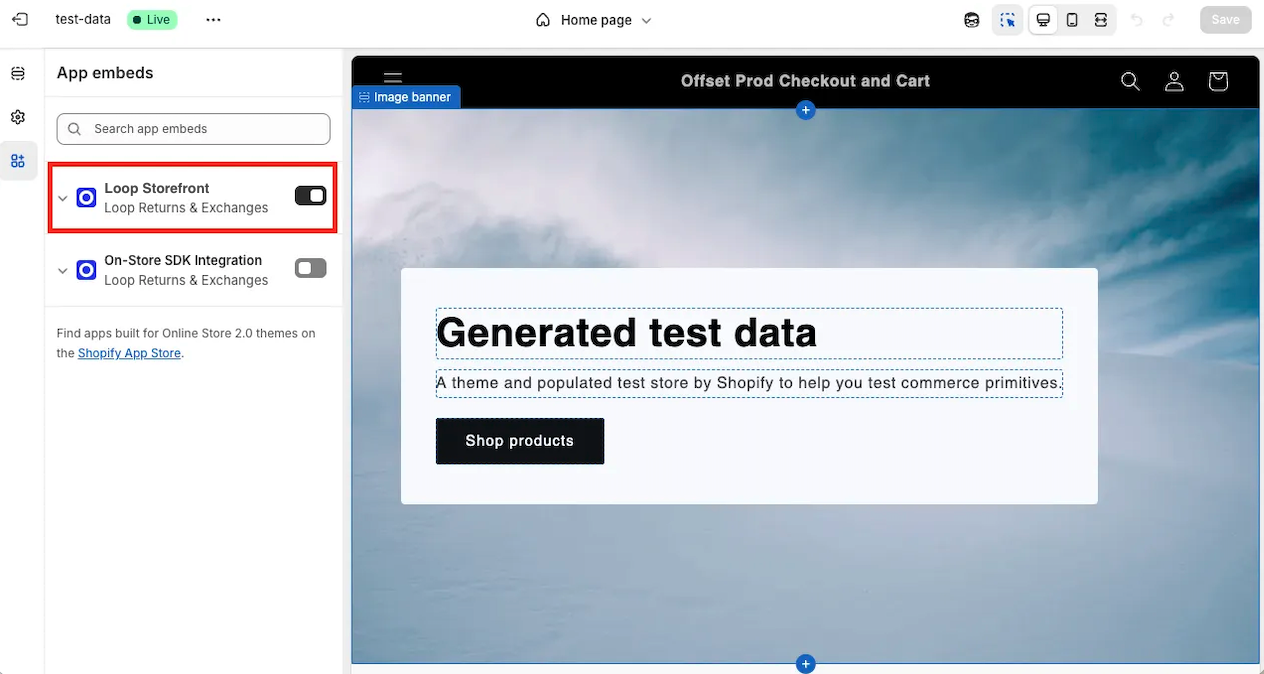
On the sidebar, click the App embeds icon.
Click the toggle button next to Loop Storefront.
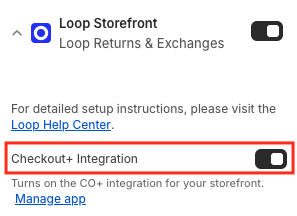
Turn on the Checkout+ Integration toggle to active Checkout+
Click Save.
When going through the checkout process, Shopify will now replace the default checkout buttons with the Checkout+ button in both the cart and cart page.
Set up Checkout+ in Checkout:
Important: This step is strongly recommended for merchants using Checkout+ and package protection to ensure the correct price is used in the case of a shopper using a discount code during checkout.
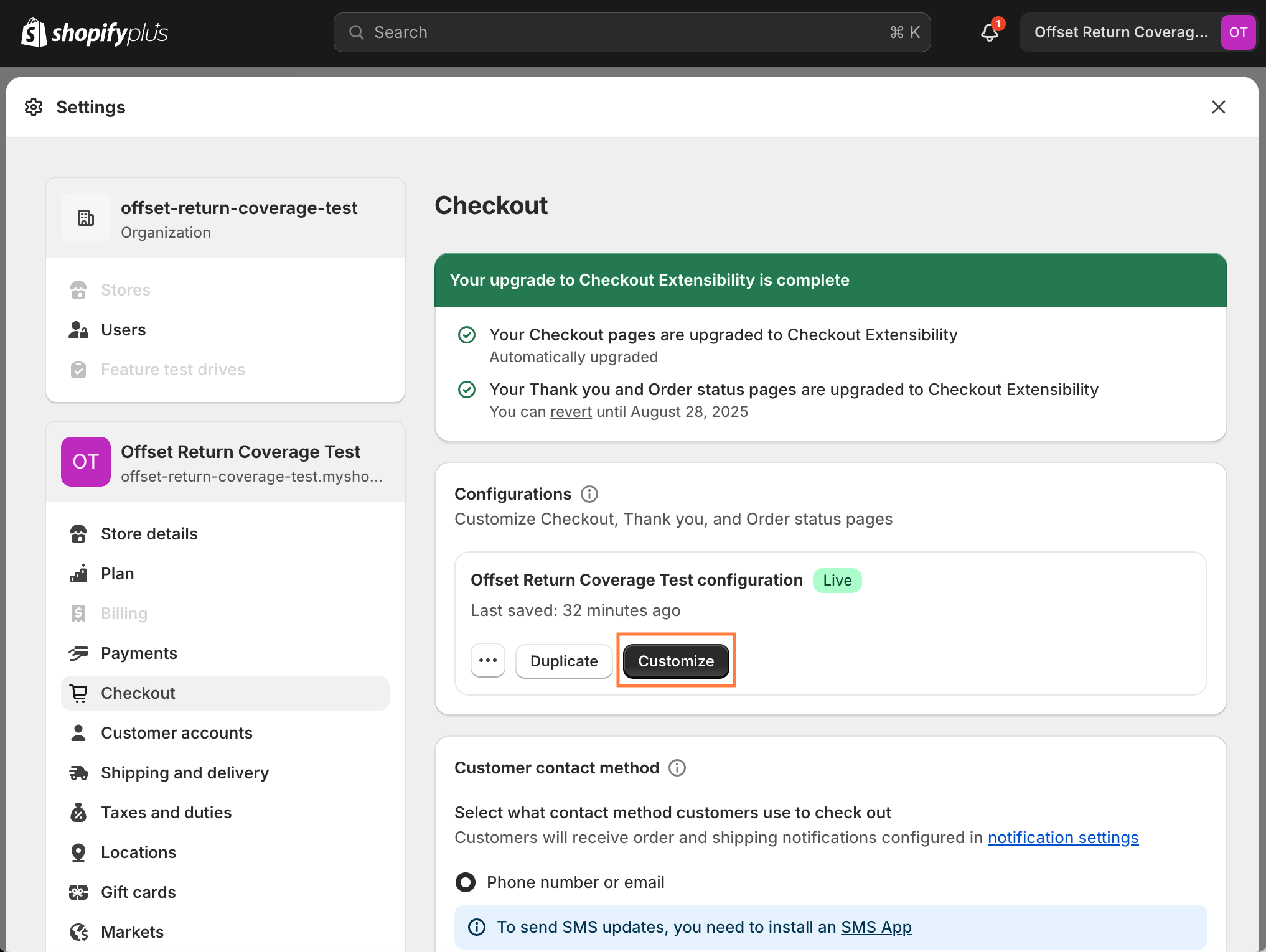
In Shopify Admin, Navigate to Settings → Checkout
Then click Customize button in Configurations section.
On the sidebar, click the App embeds icon.
Click to add the Checkout+ app to Checkout.
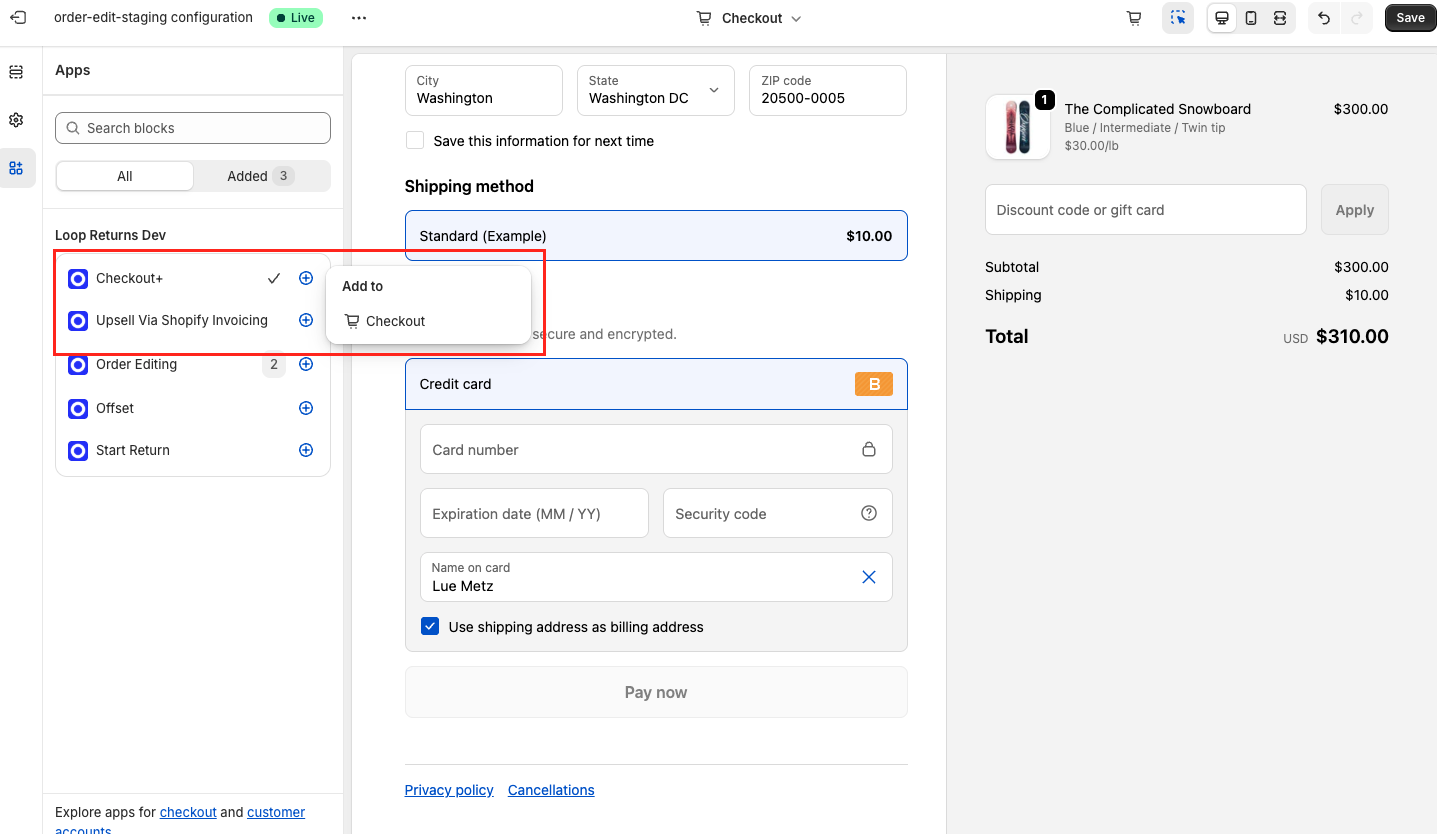
Use the arrows to move the app embed to the desired location. We recommend placing it in the Shipping method section or below the Total.
Choose options for the app display and Save the customization
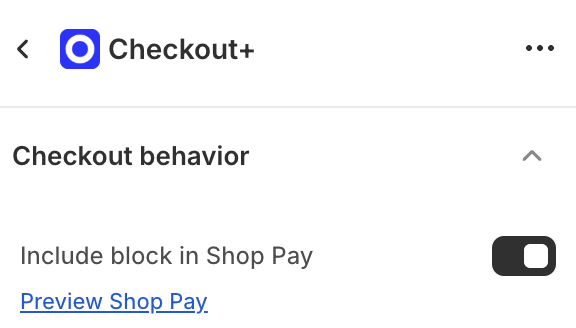
Include app block in Shop Pay - This allows the app block to be visible when using Shop Pay. Tip: Loop recommends turning this on!
Optionally, click the Preview Shop Pay link to see a preview of how the Checkout App Block will appear in Shop Pay.
Preventing Multiple Checkout+ Products on a Single Order
To ensure the Checkout+ product can only be purchased one time per order, please setup the following in your Shopify settings:
Settings > Checkout > Scroll to 'Checkout rules'
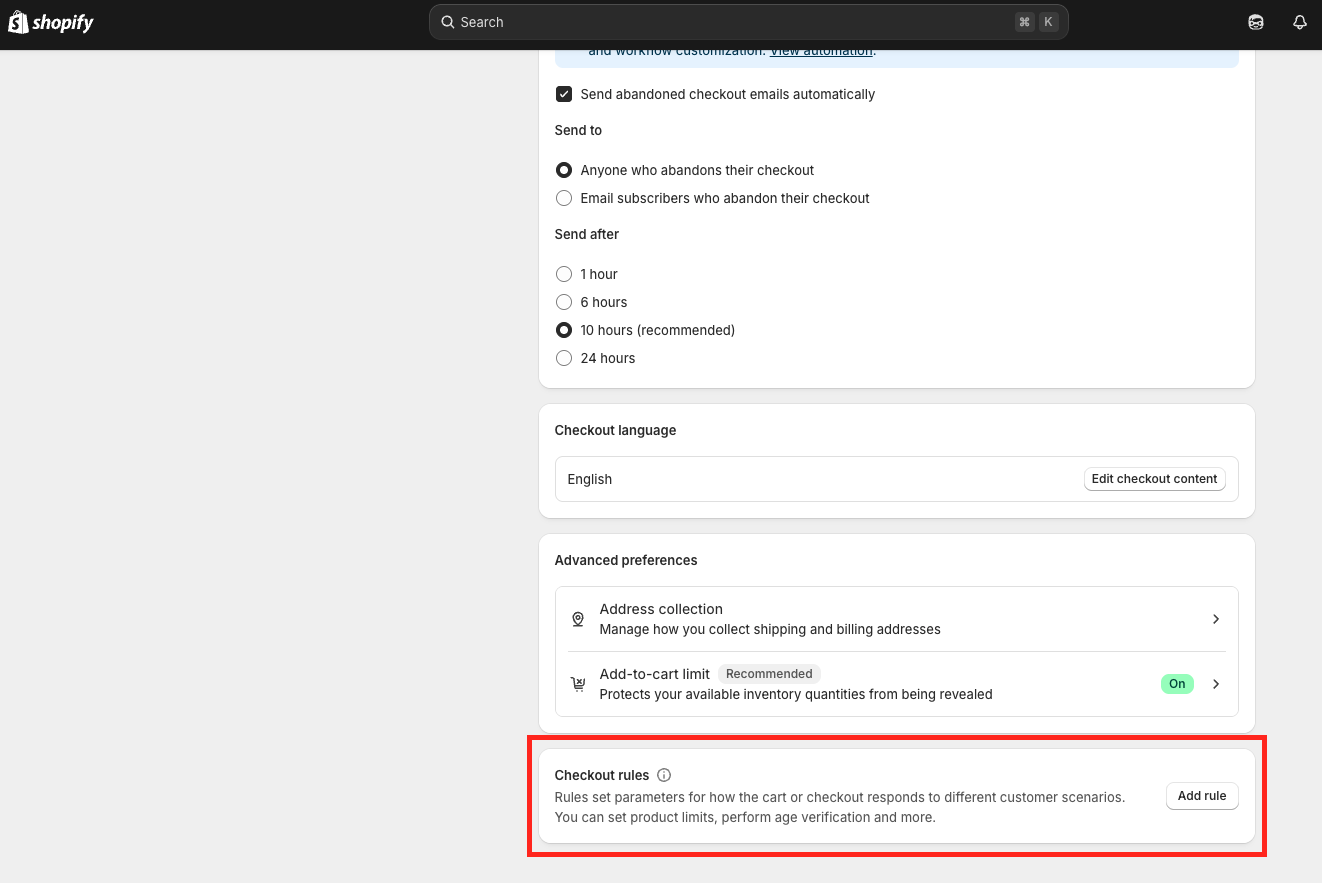
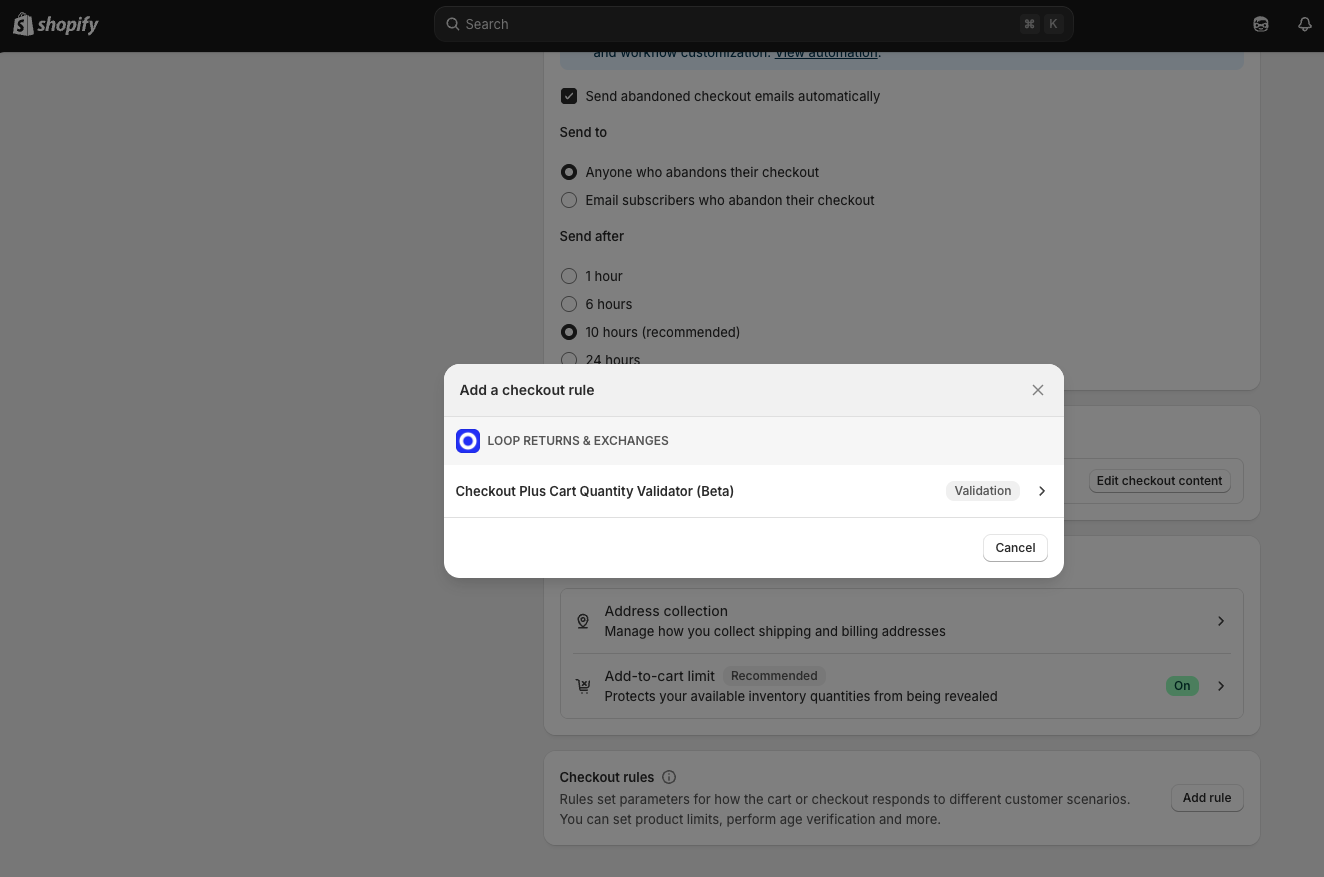
Add Rule > Checkout Plus Cart Quantity Validator
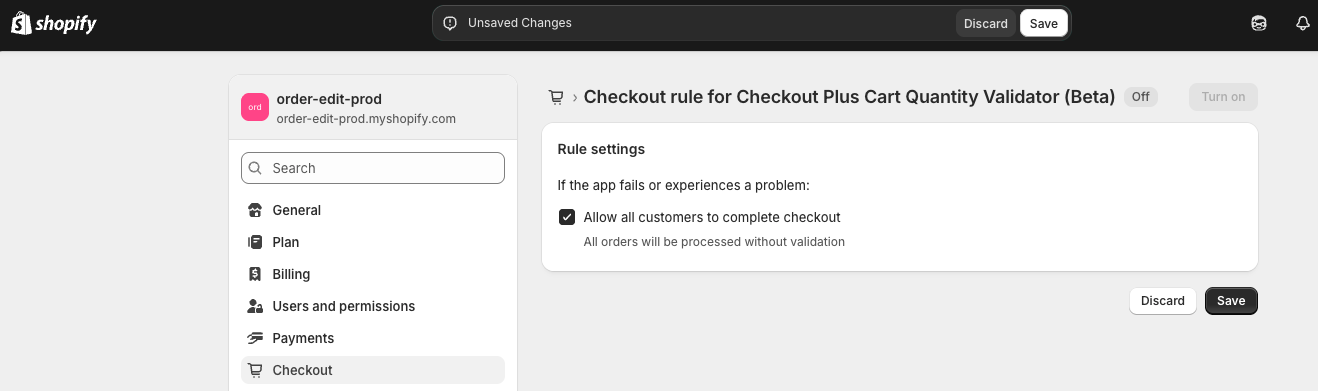
Save > Turn On
Ensure your Checkout+ product has the following Product Tag in Shopify: checkout-plus-limit-quantity
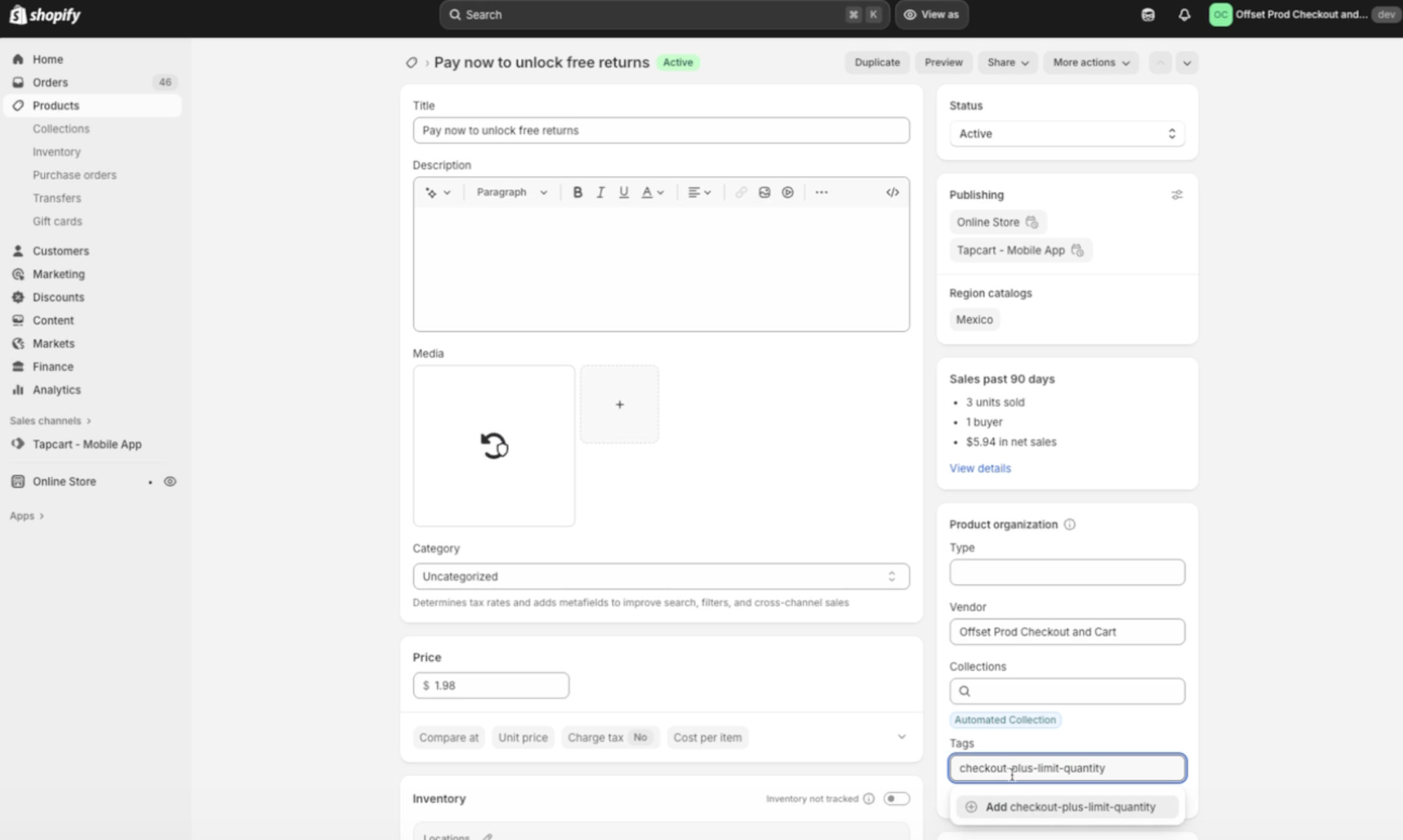
Test to validate this is working properly by attempting to add multiple Checkout+ products to your cart

FAQ
How do I know if I'm eligible to set up Checkout+? Before attempting to set up Checkout+, please confirm with your Merchant Success Manager that you're a Checkout+ customer. They will be able to verify your eligibility and provide any necessary guidance.
Does this setup work with third party carts such as Upcart and Aftersell? Yes, most of the time it will. However, if it doesn't, contact Loop support—we can manually add the Checkout+ buttons to your cart in order to complete setup.
Please reach out to support@loopreturns.com with any additional questions.