
Loop for Shopify POS (Beta)
OVERVIEW
Loop for Shopify POS (Beta) brings returns directly into the Shopify POS app, so your store associates can handle drop-off in-store returns without leaving Shopify. No separate Loop login or app switching. This article covers what's available today in the beta, what's coming next, how to set it up, and how the associate workflow works.
Use the menu on the left to quickly navigate this article.
What it is
Loop for Shopify POS is a native extension that lives inside the Shopify POS app. It allows store associates to process Loop returns directly from their existing POS device — no separate Loop app, no second login, no switching screens.
We're rolling this out in phases. The first phase Drop-off In-Store is live in beta. The second phase, which will support full in-store return initiation, is currently in development.
Important: Loop for Shopify POS is currently in beta. To join the beta, navigate to Point of Sale > Loop for Shopify POS in your Loop admin.
Why it matters
Returns are a moment of trust. When a customer walks into your store expecting a smooth drop-off experience, friction costs you — in associate time, in customer confidence, and in the impression your brand leaves.
Loop for Shopify POS eliminates that friction:
No app switching. Associates never leave Shopify POS to complete a return handoff.
No extra credentials. Associates log in with their existing Shopify credentials — there's nothing new to learn or remember.
Immediate processing. Refunds process the moment the associate submits — no delays, no follow-up needed.
Works on the hardware you already have. Compatible with iOS, Android, and Shopify GO devices.
What's included in the beta
We're rolling out Loop for Shopify POS in phases. Here's what's available now and what's coming next.
Phase 1 — Available Now: Drop-off In-Store
Customers who initiated a return online can drop off their item at your store. The associate scans the customer's QR code inside Shopify POS and completes the handoff in seconds — all without leaving the app.
What's live today:
QR code and RMA scan support
Camera and hardware scanner compatible
Restock to store or opt out
Immediate refund processing
No Loop login required — associates use their existing Shopify credentials
Works on iOS, Android, and Shopify GO hardware
Phase 2 — Coming Next: Full In-Store Return Flow
Associates will be able to start and complete a full Loop return entirely inside Shopify POS — with item selection, return reasons, exchanges, and refund methods, without ever leaving the app.
What's in development:
Order lookup by name, email, or order number
Eligible and ineligible item display
Gift return support
In-store exchanges
Associate attribution via Shopify POS
Note: Phase 2 is currently in development and not yet available in the beta. This article will be updated when Phase 2 launches.
Setup
Follow the steps below to install the Loop drop-off extension:
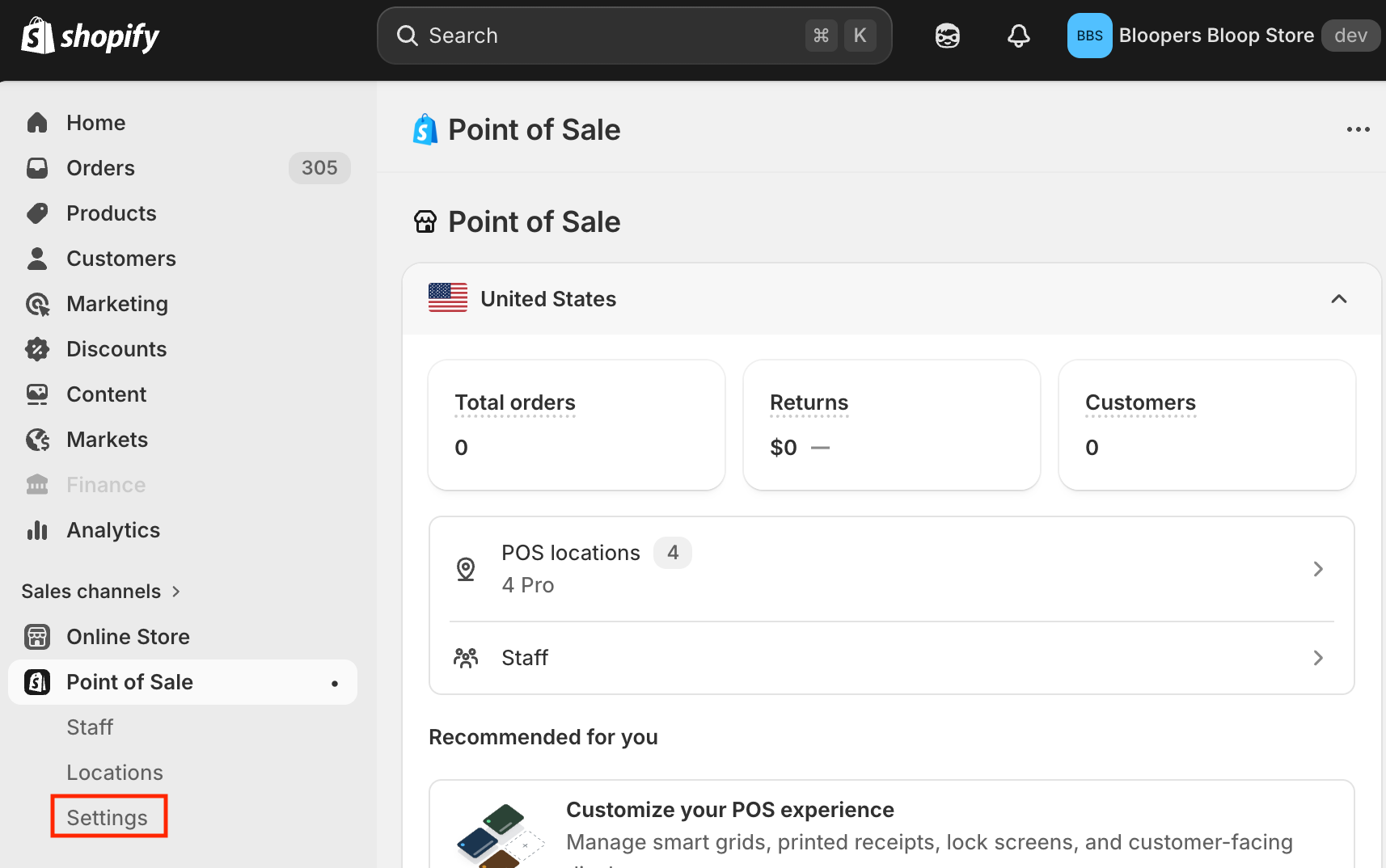
In your Shopify admin, navigate to the Point of Sale sales channel in the left sidebar, then click Settings.
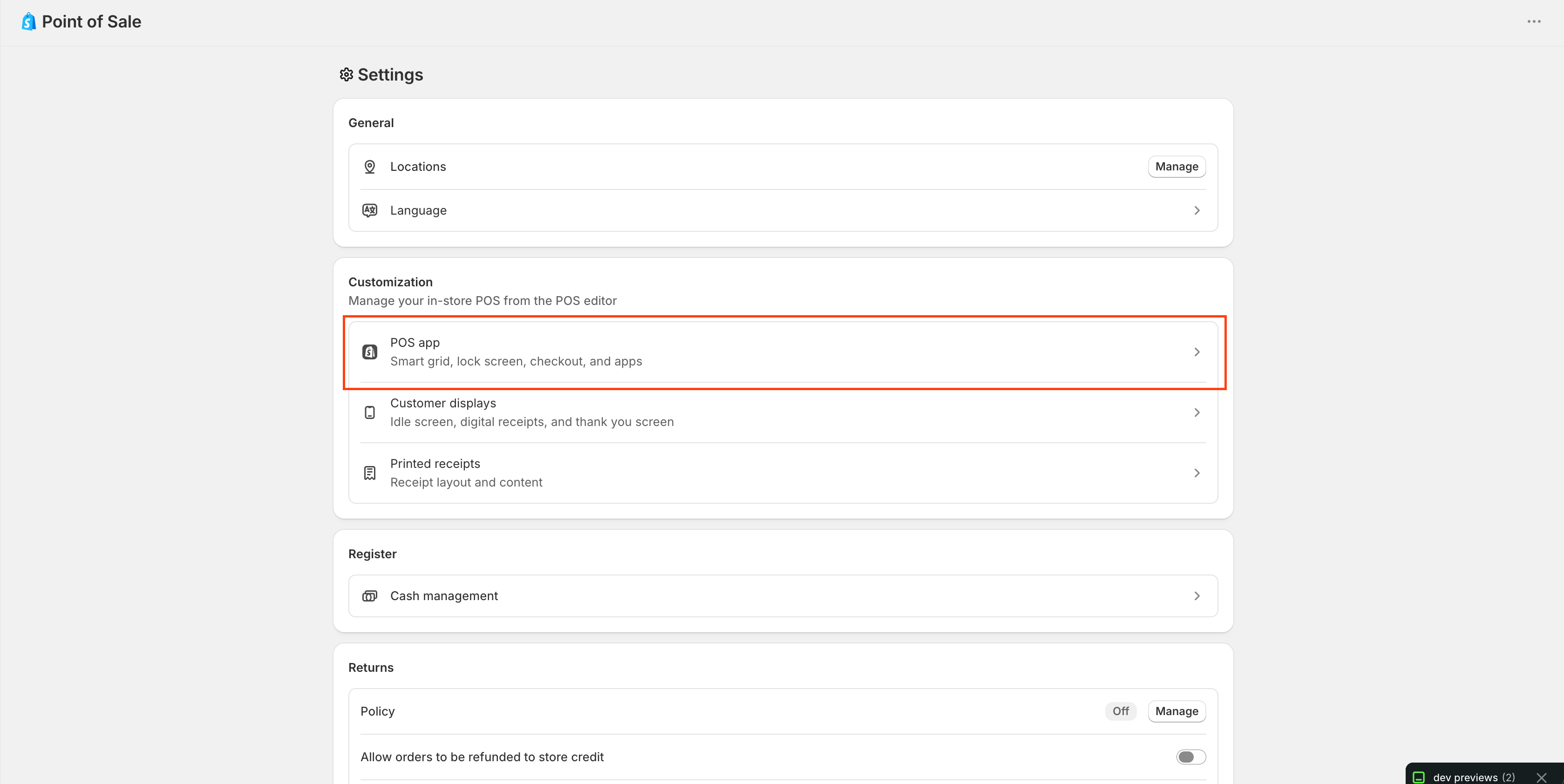
On the Settings page, click POS apps.
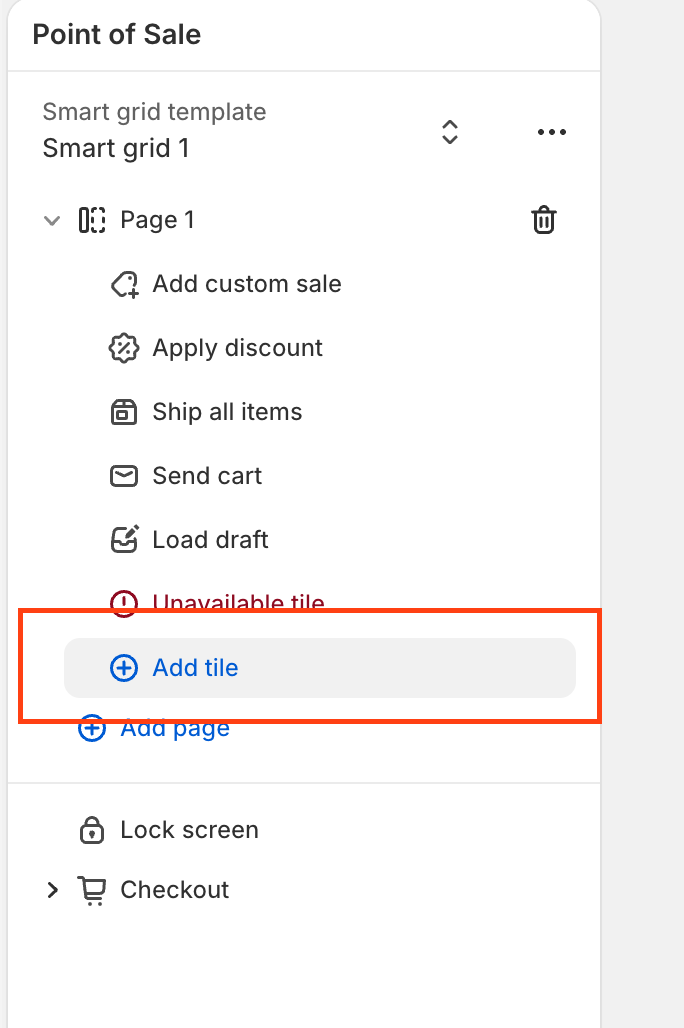
In the Smart Grid template, select the Add tile button.
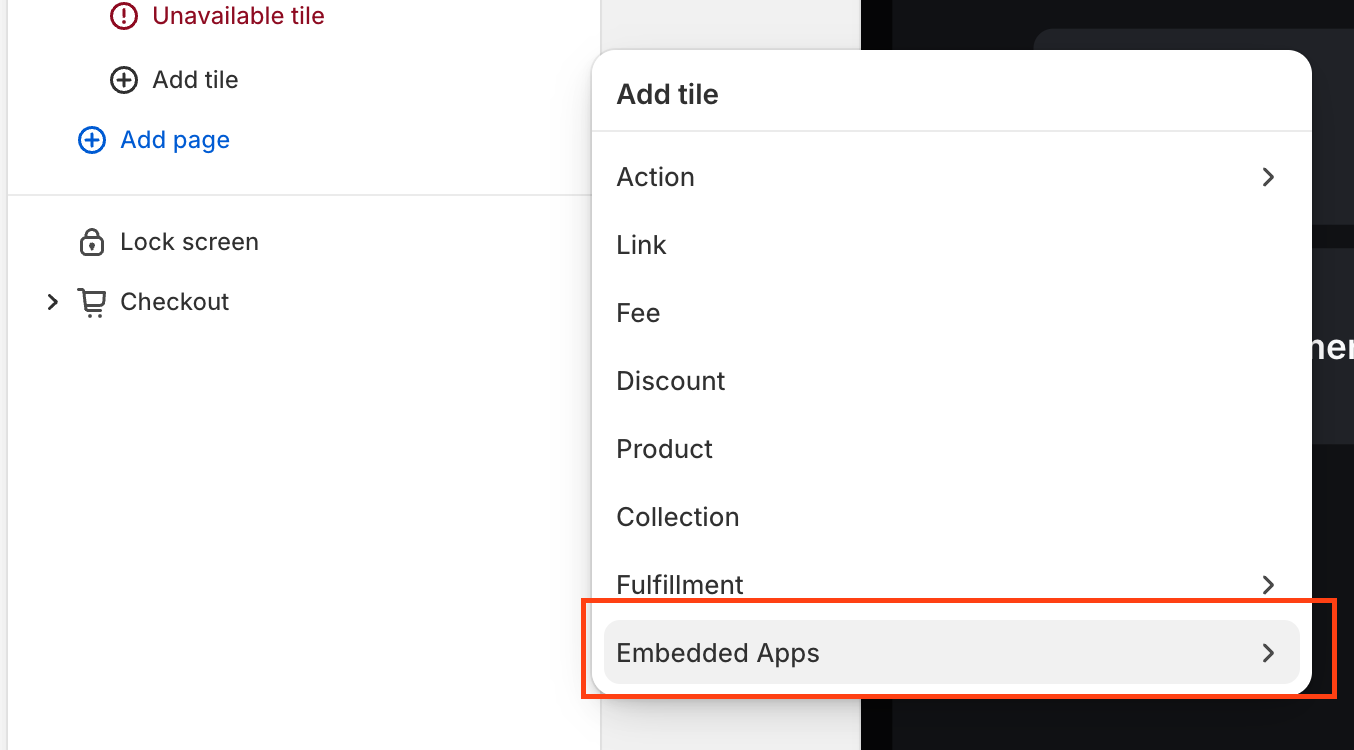
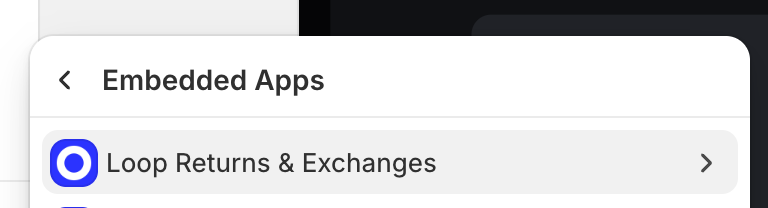
Then click into Embedded Apps.
In the Embedded Apps list, find and click Loop Returns & Exchanges.
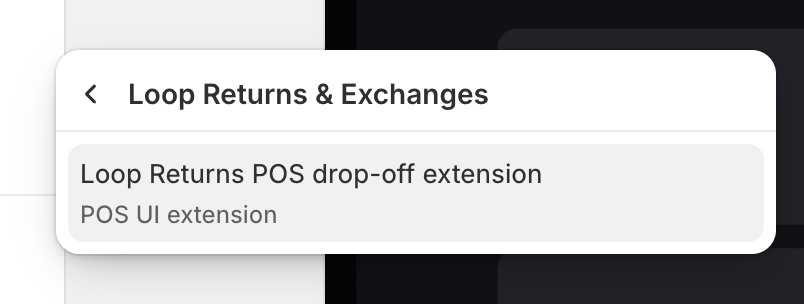
Select Loop Returns POS drop-off extension from the dropdown.
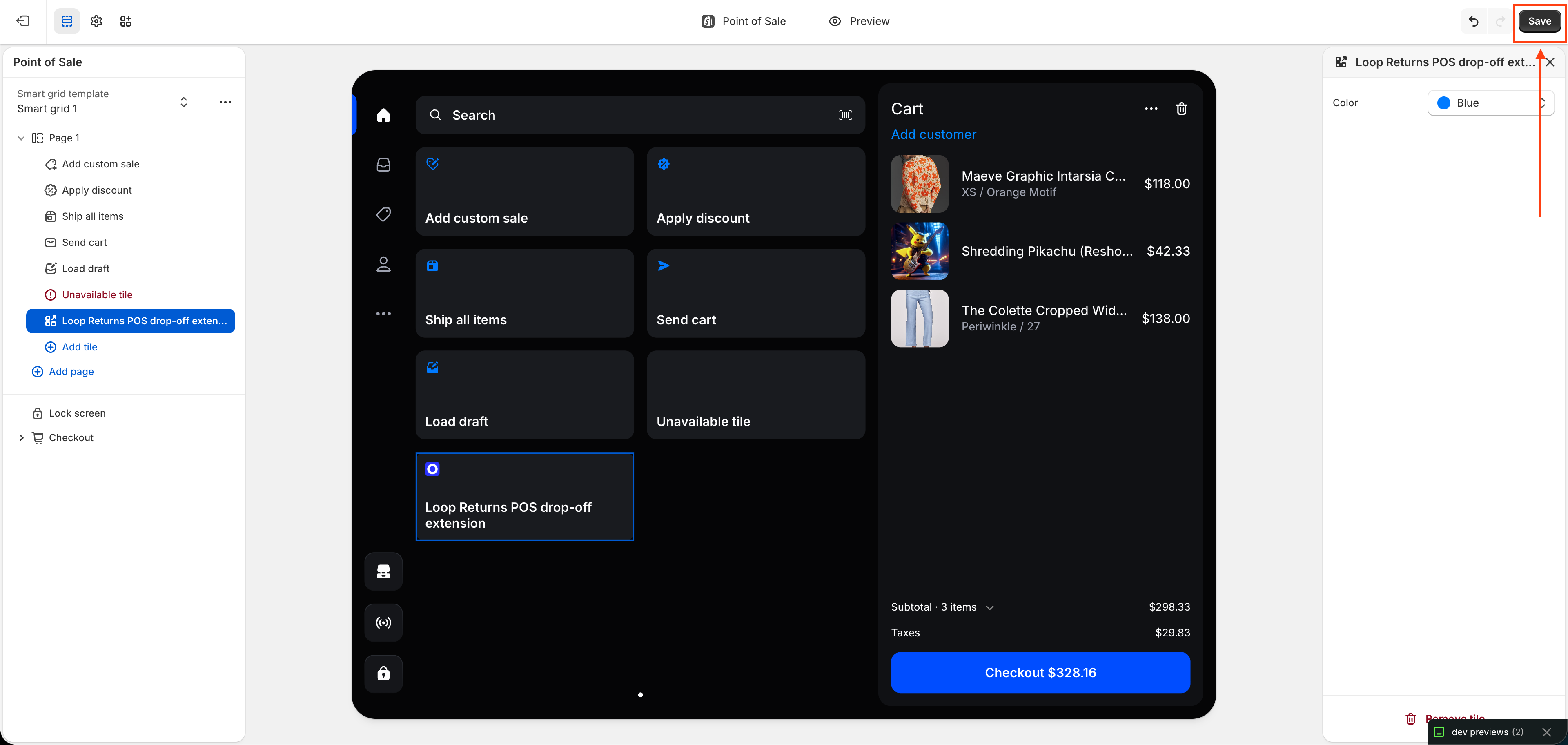
This creates a tile on the POS home screen and deploys it across all devices and locations automatically — no individual device setup needed.
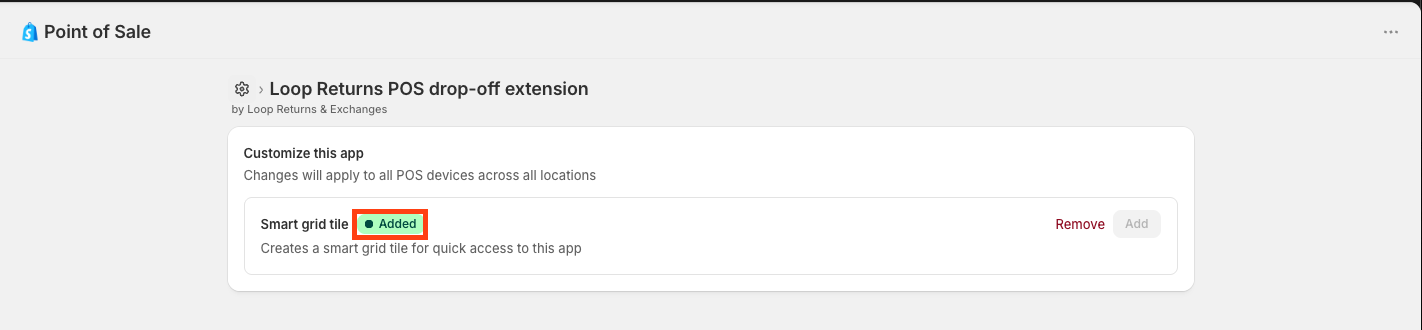
Once added, the Smart grid tile status will update to show a green Added badge.
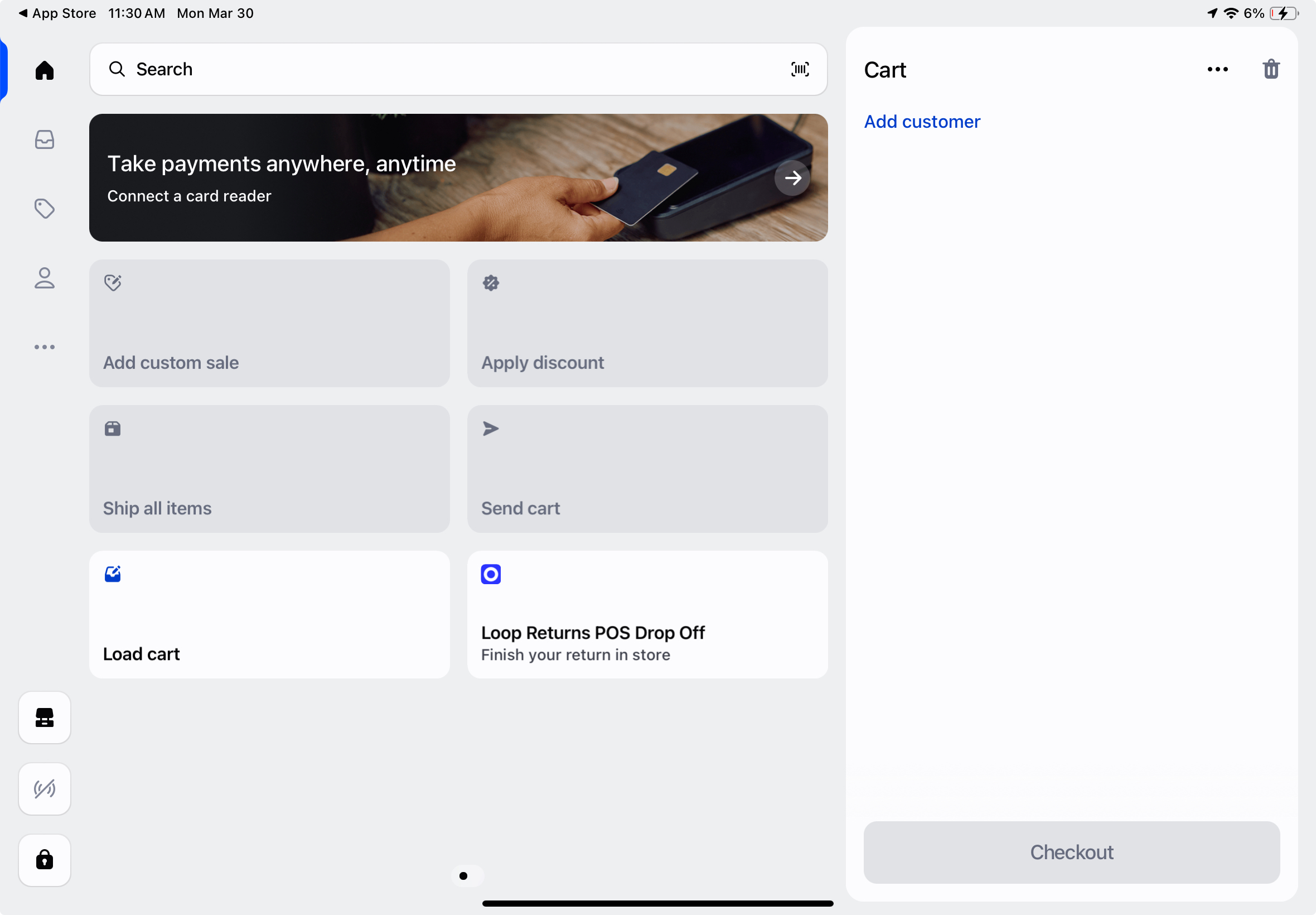
Close and reopen the Shopify POS app on your device so it pulls in the new state. A new Loop drop-off tile will appear on the main POS home screen. No additional App Store install is required.
Tip: The extension deploys to all locations at once. You don't need to repeat this process per device or per store location.
Important: Make sure associates close and fully reopen the POS app after you add the extension — the tile won't appear until the app reloads.
The drop-off return flow
This demo shows the end-to-end drop-off return flow using Shopify POS, including how a shopper selects a dropoff instore return method, how a store associate completes a dropoff return in Shopify POS, and how that data is reflected in loop admin.
Here's a step by step of how the drop-off flow works for your store associates:
The customer lets the store associate know they have a drop-off return.
The associate taps the Loop drop-off tile on the Shopify POS main screen.
The associate scans the customer's QR code using the device camera or hardware scanner, or manually enters the alphanumeric RMA code.
The associate reviews the return details and confirms they are correct.
The associate selects Restock or No restock for the returned item.
The associate taps Submit. The return processes immediately and the customer receives their refund.
Note: All returns processed through the POS extension appear in the Loop admin alongside your other return activity — no separate view or report needed.
FAQ
Do associates need a separate Loop login? No. Associates complete the entire drop-off flow using their existing Shopify POS credentials. There is no separate Loop account or login required.
Which devices are supported? The extension works on iOS, Android, and Shopify GO hardware.
Does the extension deploy to all of our store locations automatically? Yes. When you add the extension in Shopify admin, it deploys across all devices and locations tied to that Shopify instance. You don't need to install it separately per location.
What if the customer doesn't have their QR code? Associates can manually enter the alphanumeric RMA code instead. The customer would have received this code in their return confirmation email from Loop.
Can we process a drop-off return and convert it to a ship-back later? Drop-off returns processed through the POS extension can be converted to Box & Ship through the Loop admin, which will automatically generate a shipping label.
When will Phase 2 (full in-store return flow) be available? Phase 2 is currently in development. We'll update this article and notify beta merchants when it's ready. To stay in the loop, make sure you've joined the beta via Point of Sale > Loop for Shopify POS in your Loop admin.
Please reach out to support@loopreturns.com with any additional questions