
Variant Exchange
OVERVIEW
This article explains Loop’s Variant Exchange eligibility criteria, which ensures customers can only exchange for variants matching specific price values from the original purchase to prevent disruptions with sale products and free upsell scenarios. It covers the four price values Loop uses (price, current variant price, compare at price, and original price for bundles), shows what the customer experience looks like, and gives examples.
Use the menu on the left to quickly navigate this article.
Loop also offers the Variant exchange price differences setting, which controls whether shoppers can exchange for a variant at a different price, and Advanced Exchanges, which lets shoppers exchange for a completely different product.
Variant Exchange
Loop refers to a variant-for-variant exchange (for example, exchanging a shirt in size Medium for a size Large) as an "variant exchange".
Exchange item eligibility
Loop's variant exchange eligibility criteria ensures sale products don’t cause a disruption in customers creating an exchange. It also prevents any risk of customers getting upsell variants (think a twin sheet set vs a queen sheet set) for free.
When a customer attempts a 1:1 exchange, Loop uses the following values of the line item being returned to decide variant availability:
Price - price of the item at time of purchase
Current Variant Price - current variant price in Shopify every time the order is looked up (there’s some caching, but less than an hour)
Compare at Price - the original price of the item before an adjustment or a sale
Original Price (Bundles only) - only used for bundles, price of the item at time of purchase, before bundle price adjustment in Loop
All variants whose prices match any of the above values will be available for exchange.
Customer experience examples
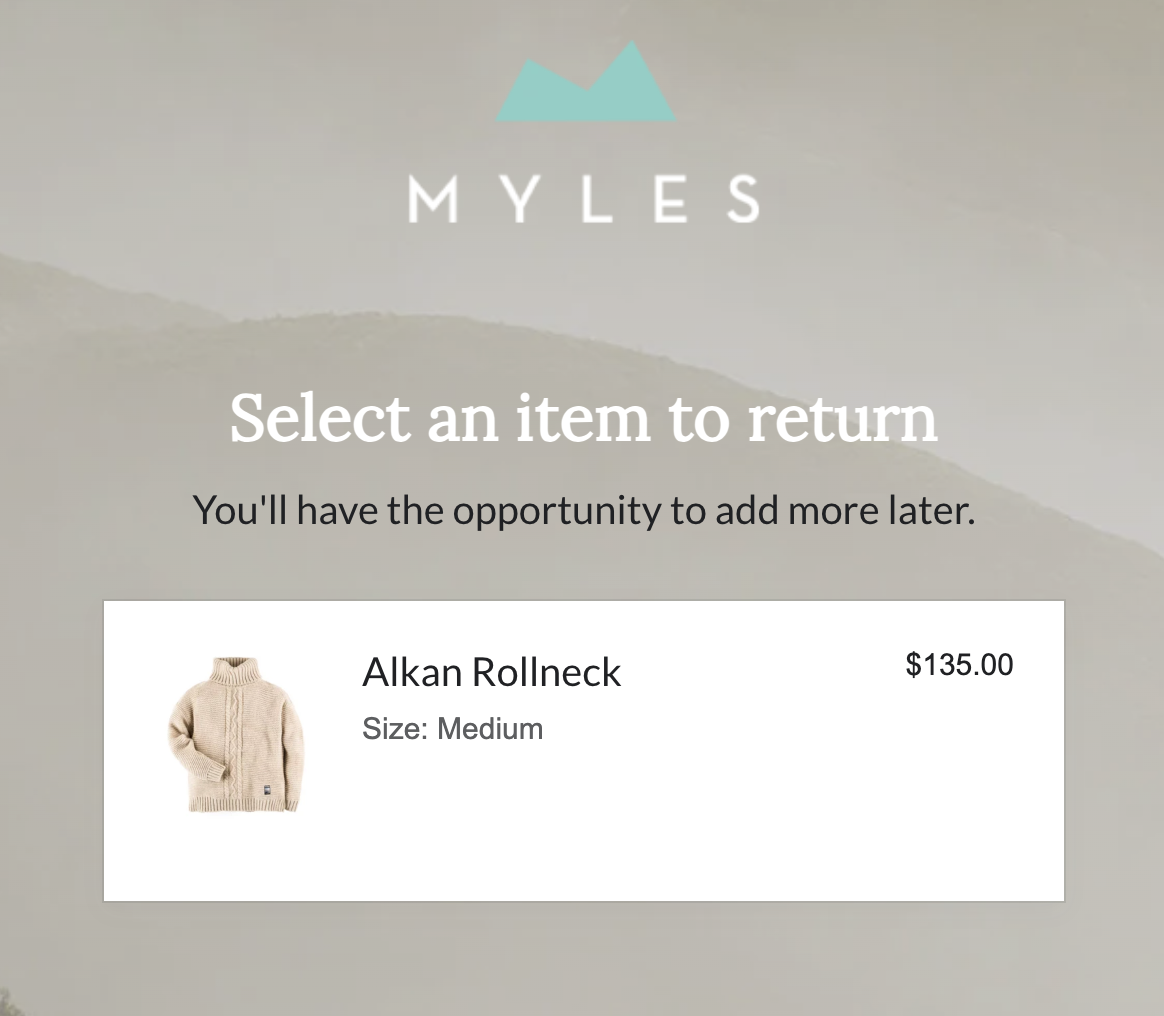
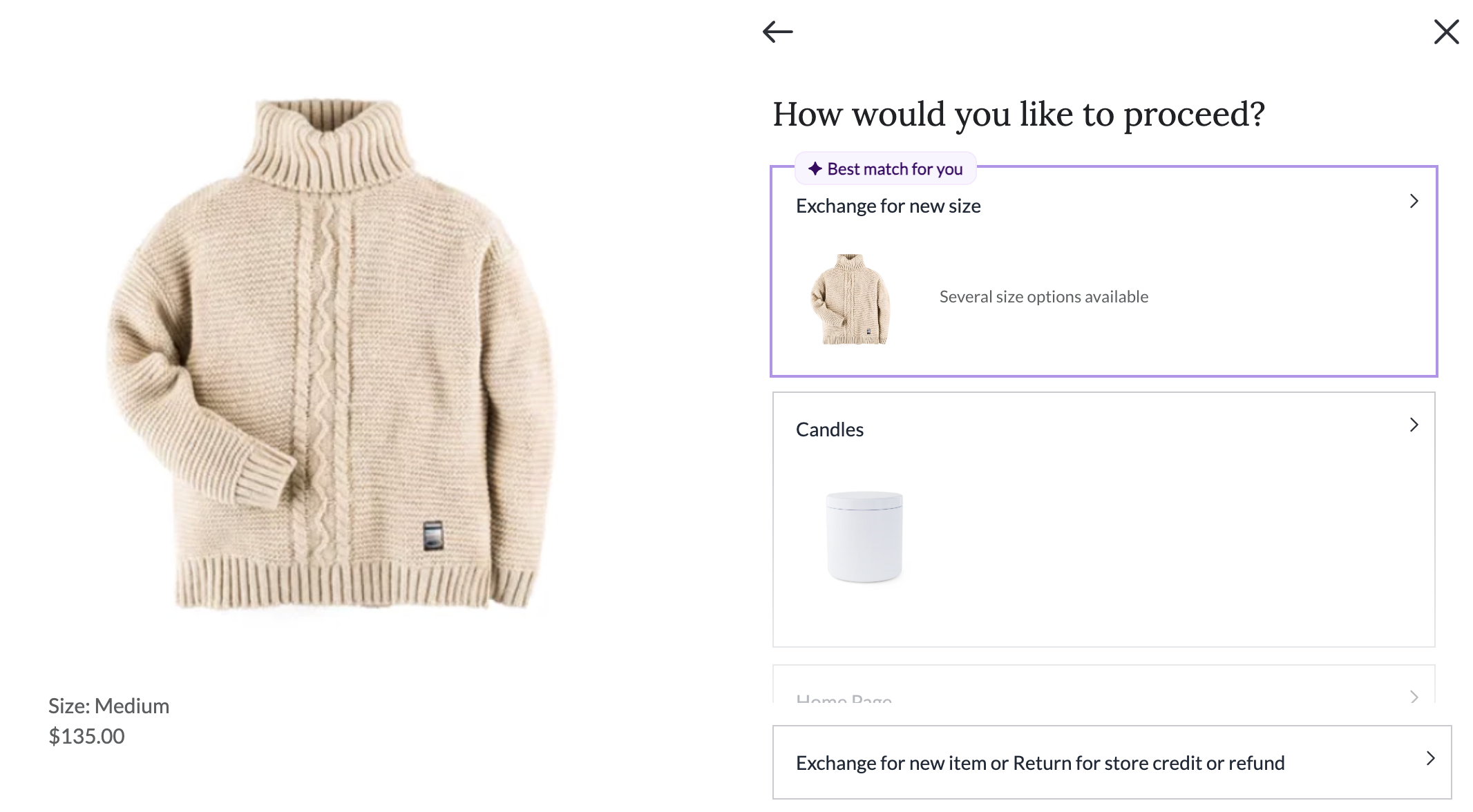
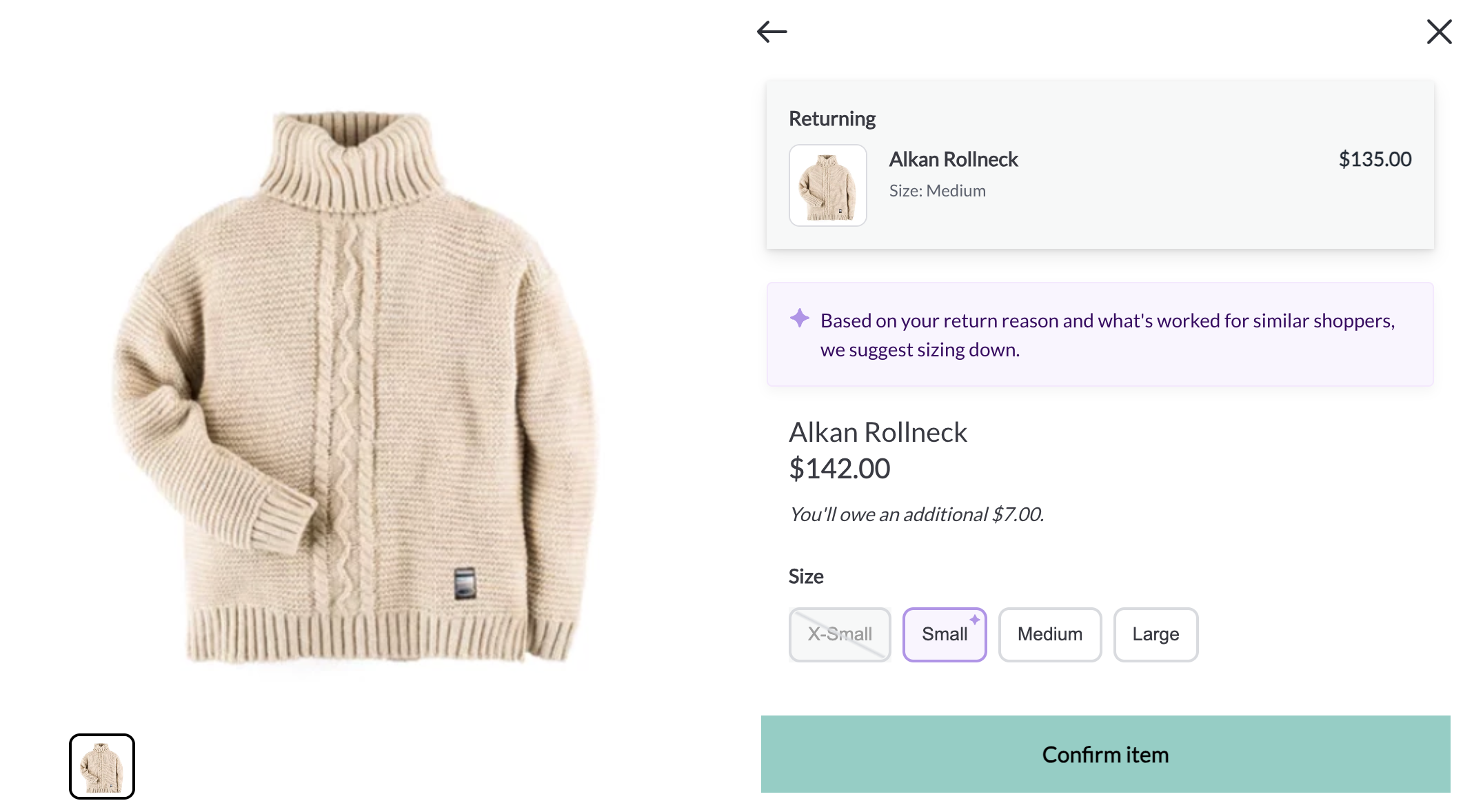
Here's what a variant exchange looks like for a customer in the returns portal, from selecting the item through confirming the new variant:
Looks up their order and selects the item they want to exchange.
Chooses to exchange for a different variant (for example, a different size or color) rather than a refund.
Selects the new variant. Only variants that meet the eligibility criteria above are shown as available; ineligible (different-priced) variants are not selectable.
The three scenarios below show how the eligibility criteria play out in common merchant situations.
Merchant sells bedding that has variants that are different prices. Customer purchases a queen sheet set at a discounted price and wishes to exchange for a new color.
Loop looks up the current list price for the queen sheet set on the merchant's store.
Loop allows the customer to submit an exchange for any variant that matches the comparison criteria above of the Queen sheet, e.g. ability to swap for a different color.
Merchant holds a holiday sale in which the price of products are marked down. After the sale, the price of the products are reverted back to the original price. Customer wishes to return an item purchased during the promotional period.
Loop looks up the current list price for the product being returned.
Loop allows the customer to submit an exchange for any variant that matches the comparison criteria above of the product.
Merchant sells bundles at a discounted price and leverages Loop's bundle functionality to enable returns. Customer wishes to exchange a bundle component for a different variant.
Loop looks up the current list price for the product being returned.
Loop allows the customer to submit an exchange for any variant that is equal to the list price of the bundle component.
Variant Exchange and price differences
The eligibility criteria above apply when your Variant exchange price differences setting is set to Same price only. You can find it in the Loop admin under Returns management > Policy settings > General, and it has four modes:
Same price only — blocks variant exchanges at a different price.
Same price only, recalculate tax — blocks them, but recalculates tax and charges or refunds the tax difference.
Charge the difference — allows them, collecting the upsell or refunding the difference.
Absorb the difference — allows them, with your store covering the gap.
Same price only and Absorb the difference are available on all plans. The other two require an Advanced plan or higher plus a Loop + Stripe integration or Shopify invoicing.
Tip: Absorb the difference is convenient, but keep in mind it isn't always ideal during holiday or promotional periods when many products are sold at sale prices.
See Different Priced Exchanges for full detail on each mode.
Variant Exchange vs. Advanced Exchanges
Advanced Exchanges allows a customer to exchange for a completely different product as if they were requesting a variant exchange. Advanced Exchanges has its own Price differences setting, located on the Advanced Exchanges page in the admin, so price handling for advanced exchanges is configured independently from variant exchanges.
FAQ
For standard exchanges, what about variants that are less than the one being returned? Does a customer get a refund in this case? It depends on your Variant exchange price differences setting. On Same price only or Same price only, recalculate tax, customers can only exchange for a variant whose list price matches one of the price criteria above. On Charge the difference, they can select a variant at any price and Loop collects or refunds the difference. On Absorb the difference, they can select a different-priced variant and pay nothing either way.
Please reach out to support@loopreturns.com with any additional questions.