
Checkout+: Dynamic Pricing
OVERVIEW
This article explains dynamic pricing for Checkout+, which allows merchants to collect additional fees as either a flat value or percentage of cart value on top of the base Checkout+ fee. It covers the benefits of keeping 100% of additional fees collected, setup instructions, configuration options, and current fee limits.
Use the menu on the left to quickly navigate this article.
This feature is available through the new Checkout+ app embed in Shopify for US-based merchants. If you’re interested in using this feature or want to learn more about the updates, please fill out this form or reach out to your Merchant Success Manager.
Why it matters
Dynamic pricing allows merchants to collect an additional Checkout+ fee of a flat value or a percentage of the cart value. This gives merchants more flexibility to optimize revenue while maintaining a familiar checkout experience for shoppers.
Dynamic pricing helps merchants:
Increase Checkout+ financial value by keeping 100% of any additional fees collected
Charge shoppers a fee that scales with cart value, which is a common and expected checkout experience for shoppers
How it works
When dynamic pricing is enabled, Checkout+ adds an additional fee on top of the base Checkout+ fee. Merchants can choose between:
A flat fee added to every eligible order, or
A percentage-based fee calculated from the shopper’s cart value
All pricing logic updates automatically in Shopify once changes are made in Loop admin.
Setup
To enable dynamic pricing:
Navigate to the Checkout+ settings page in Loop Admin
Turn on the toggle for Increase your returns coverage fee or offer self-managed package protection
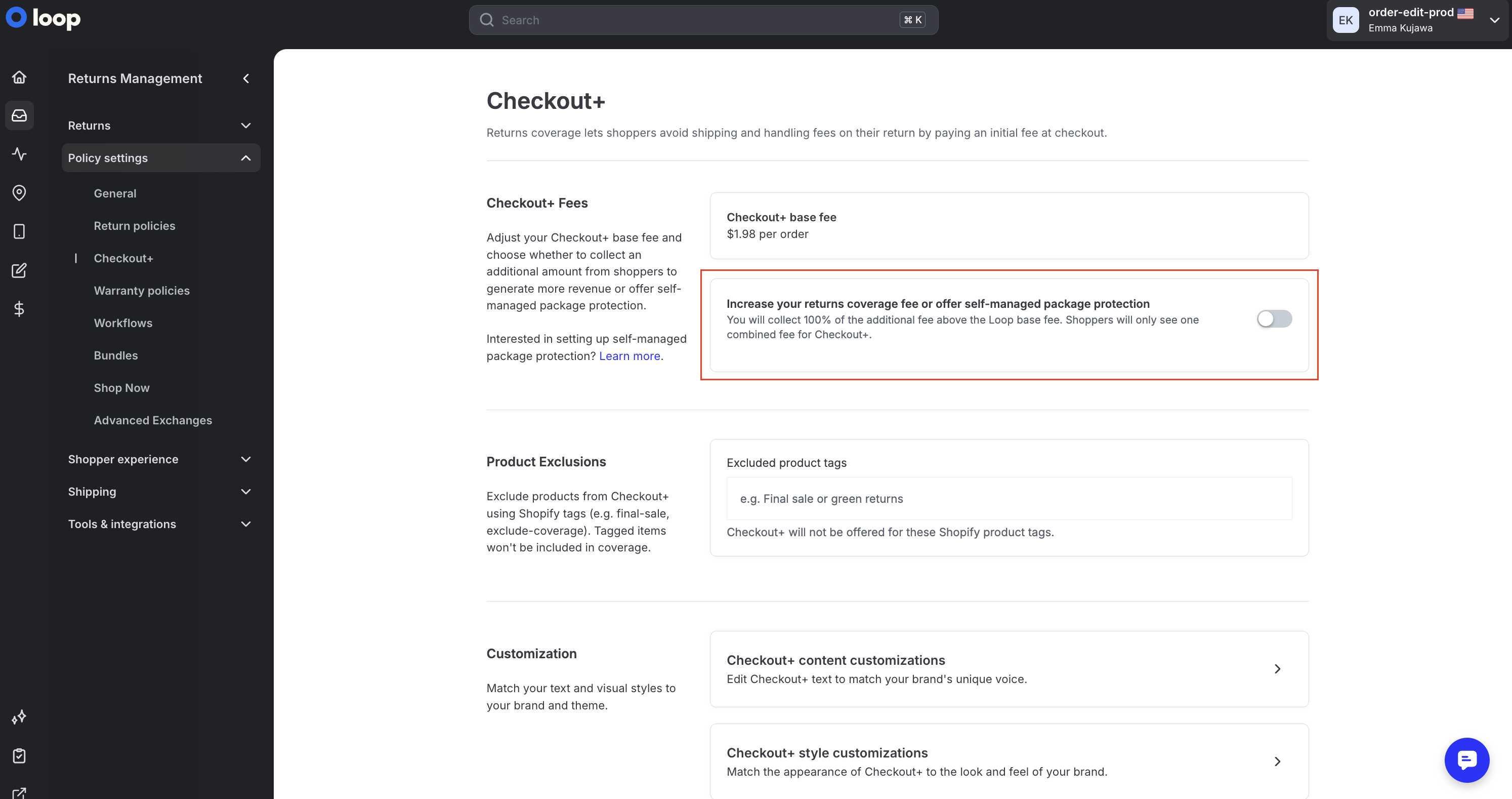
Any fee changes made in Loop Admin will automatically sync to Shopify
No manual updates in Shopify are required
Choose how you’d like to structure the additional fee:
Flat fee, or
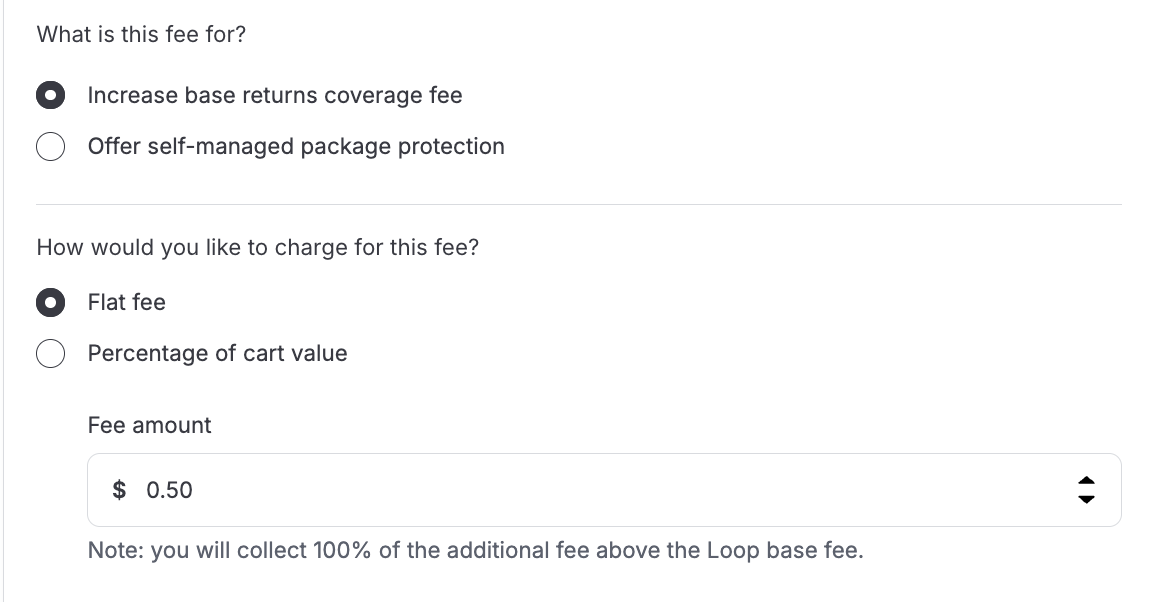
Percentage of cart value
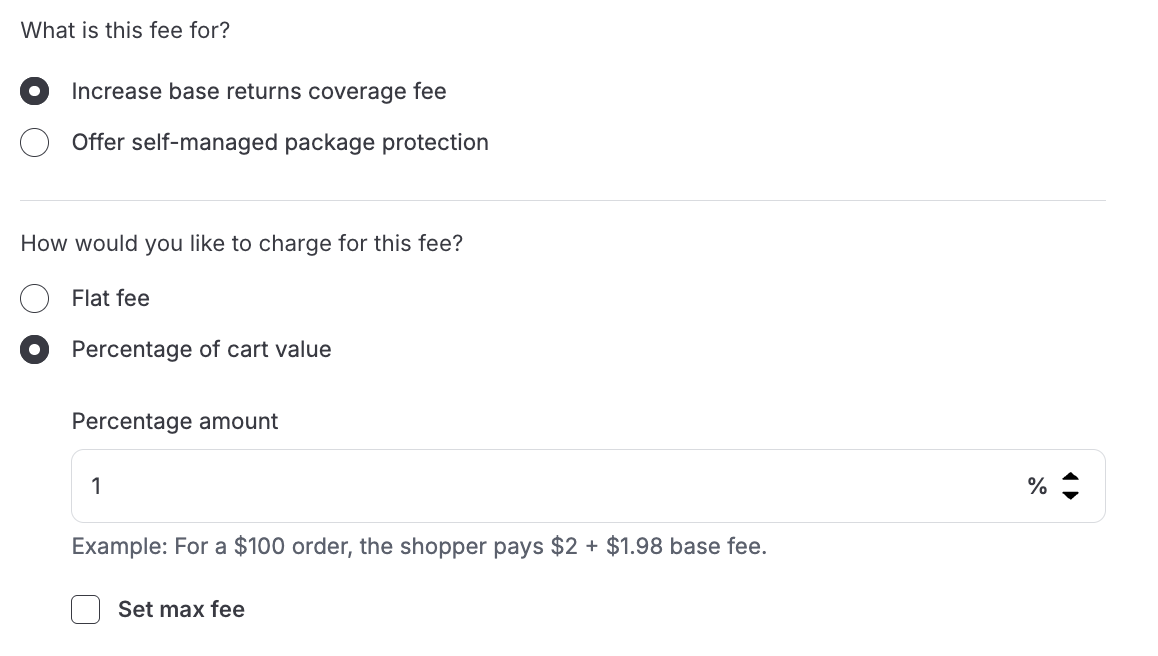
(Optional) Set a maximum fee to cap the total amount a shopper can be charged
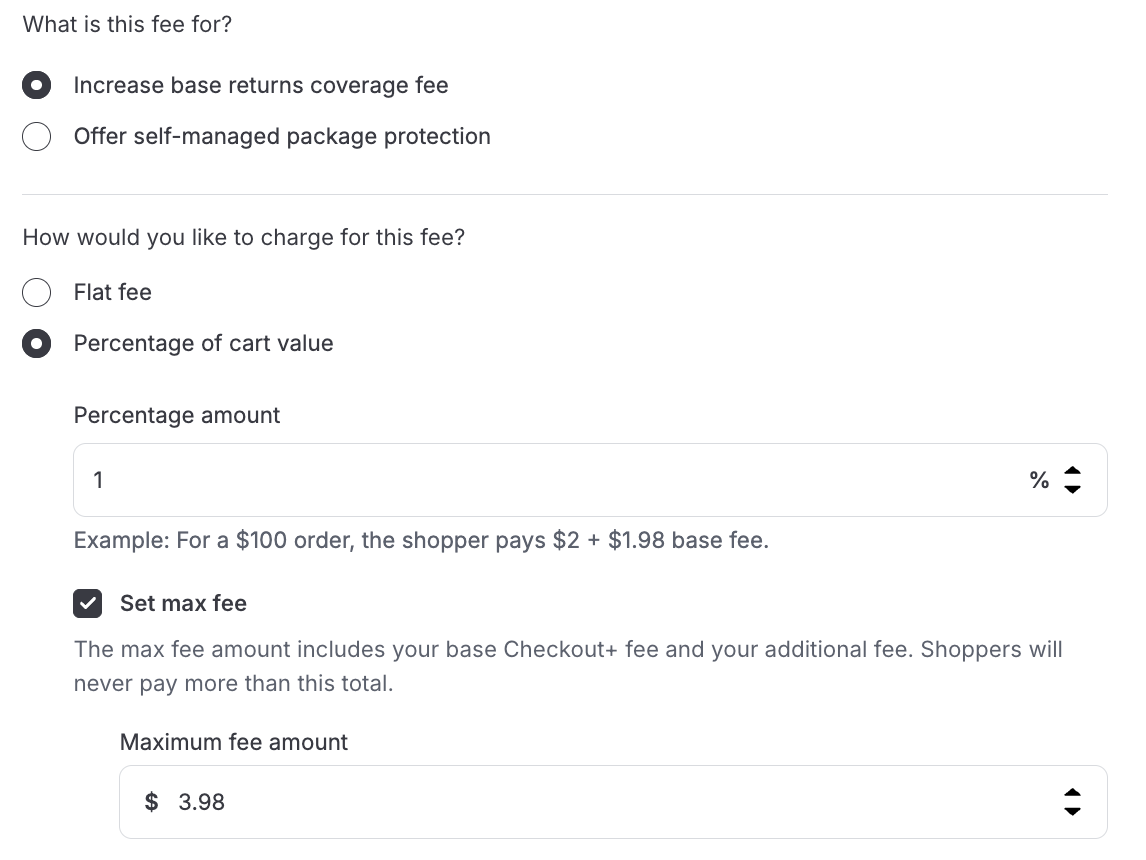
Save
Fee limits
To help protect conversion and attach rate, Loop enforces limits on dynamic pricing. If a value exceeds these limits, an error message will appear.
The current limits are:
Maximum flat fee: $5
Maximum percentage add-on: 5%
Maximum total fee: $10
These safeguards ensure pricing remains shopper-friendly while still allowing merchants to maximize revenue.
FAQs
Which portion of the fee goes to me and which portion goes to Loop? Anything above your agreed upon base fee with Loop will go directly to you as revenue.
Do I need to update Shopify manually if I change my fee?
No. Any updates made in Loop Admin automatically sync to Shopify.
Do shoppers see one fee or two separate fees in cart and checkout? There will only be one fee shown to shoppers.
Please reach out to support@loopreturns.com with additional questions.