
Loop Order Tracking integration with Gladly
OVERVIEW
The Loop Order Tracking integration with Gladly brings real-time order and shipment tracking into Gladly, so your agents can see shipment status, carrier, and tracking details right on a customer's Customer Profile — and surface the same information in self-service Guides. This article covers what the integration shows, how customer matching works, and how to install the order tracking app in Gladly.
Use the menu on the left to quickly navigate this article.
Note: This integration is built, owned, and maintained by Loop. For questions about how it works or help troubleshooting, please reach out to Loop support at support@loopreturns.com.
What it is
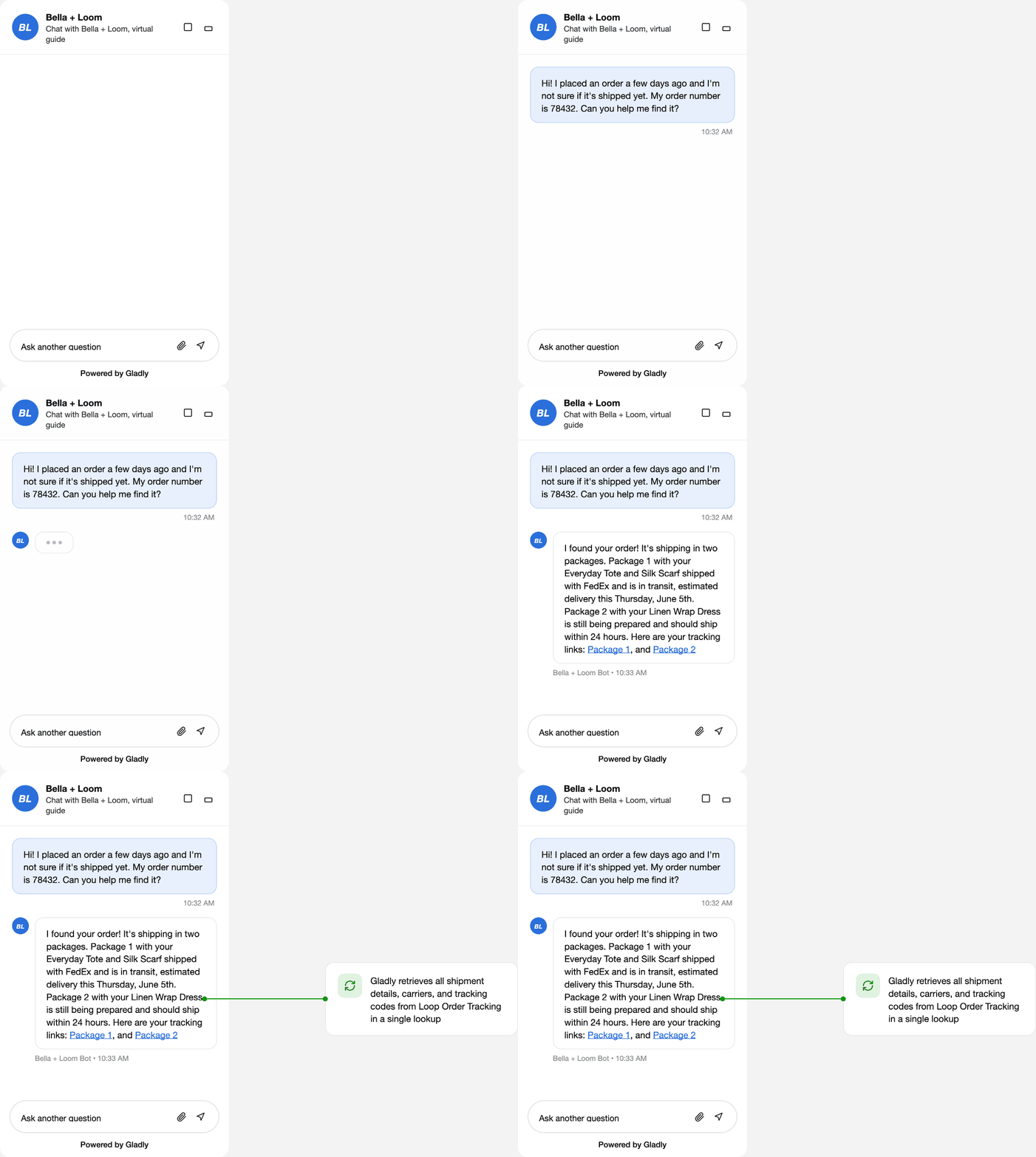
The Loop Order Tracking app surfaces order and shipment data from Loop inside Gladly. It lets your team, and your customers, through self-service Guides, view order and shipment status instantly, see carrier information and tracking codes, and follow multi-package orders clearly, without leaving Gladly.
Note: This is a data-only integration — it displays order and shipment information but does not perform actions in Loop. For actions like generating return links from a ticket, use the separate Gladly Returns integration (see Related articles).
How it works
When order data is needed, the app queries the Loop Order Tracking platform and displays the results in Gladly:
Data pull initiated → Loop returns matching orders → data displayed in Gladly.
A data refresh is triggered when:
A team member opens a Customer Profile in Gladly.
A Guide requests order data during a conversation.
A Rule evaluates order data for a routing decision.
Customer matching: Gladly sends all email addresses on a customer's profile to Loop; any order that matches one of those emails appears in Gladly. Phone numbers are not used for matching, and if a Customer Profile has no email address, no order data can be retrieved.
The data appears in Customer Details Cards and is available in Guides for self-service flows. Agents and customers can see:
Order information — order ID, order name/identifier, and a shipment URL linking to the tracking page
Shipment details — carrier display name, shipment status, and tracking code
Setup
Before you begin, you'll need:
Track by Loop (Loop Order Tracking) active on your Loop account
An active Gladly plan
Gladly Administrator permissions
A Loop Order Tracking API token (see Step 1)
Customer Profiles in Gladly that include customer email addresses (matching is email-based)
Step 1: Request your Loop Order Tracking API token
This token is provided by Loop. Reach out to your Merchant Success Manager (MSM) to request your Loop Order Tracking API token. Have it ready before installing the app in Gladly (Step 2).
Note: This is separate from the Loop Returns API key used for the Gladly Returns integration — be sure to use the Loop Order Tracking token here.
Step 2: Install the app in Gladly
You can install the Loop Order Tracking app two ways:
Option A — Contact Gladly Support (recommended)
Have your Loop Order Tracking API token ready (from Step 1).
Contact Gladly Support with your API token.
Gladly Support will install and configure the app for you.
Option B — Install via CLI (for developers)
Gladly also offers a command-line install using their App Platform CLI (appcfg). This is best suited to technical teams — see Gladly's developer guide: https://help.gladly.com/developer-tutorials/docs/install-appcfg.
Step 3: Verify the installation
After installation, confirm everything is working in Gladly:
The Loop Order Tracking app appears under Settings > App Actions.
Its status shows Active.
Step 4: Choose where order tracking appears
Contact Gladly Support to configure the Customer Details Cards or to add order tracking to your Guides for self-service flows.
Tip: Because matching is email-based, make sure your Gladly Customer Profiles carry the customer's email address — that's how Gladly finds their Loop orders.
FAQ
How is this different from the Gladly Returns integration? The Order Tracking app is data-only — it shows order and shipment status. The Gladly Returns integration lets agents view and act on returns (including generating return links). They're separate apps and can both be enabled. See Related articles.
Why aren't a customer's orders showing in Gladly? Matching is by email. Make sure the customer's email address is on their Gladly Customer Profile — orders are matched by sending profile email addresses to Loop. Phone numbers are not used, and a profile with no email returns no order data.
What order and shipment details can agents see? Order ID, order name/identifier, and a shipment URL, plus carrier display name, shipment status, and tracking code.
Can agents start or modify a return from this app? No. This integration only displays data. For return actions, use the Gladly Returns integration.
Are there any requirements to use this integration? Yes — your account needs Track by Loop (Loop Order Tracking) active and an active Gladly plan.
Who do I contact for support? Loop builds, owns, and maintains this app, so reach out to Loop support at support@loopreturns.com for any questions or troubleshooting. (Note this differs from the Gladly Returns integration, which is owned by Gladly.)
Related articles
Gladly Integration (Returns) — https://help.loopreturns.com/en/articles/1915393
Please reach out to support@loopreturns.com with any additional questions.